Ask Our Experts800-606-6969
Hello, Log InAccount & Orders
Video Chat with a Pro Video Expert - Live
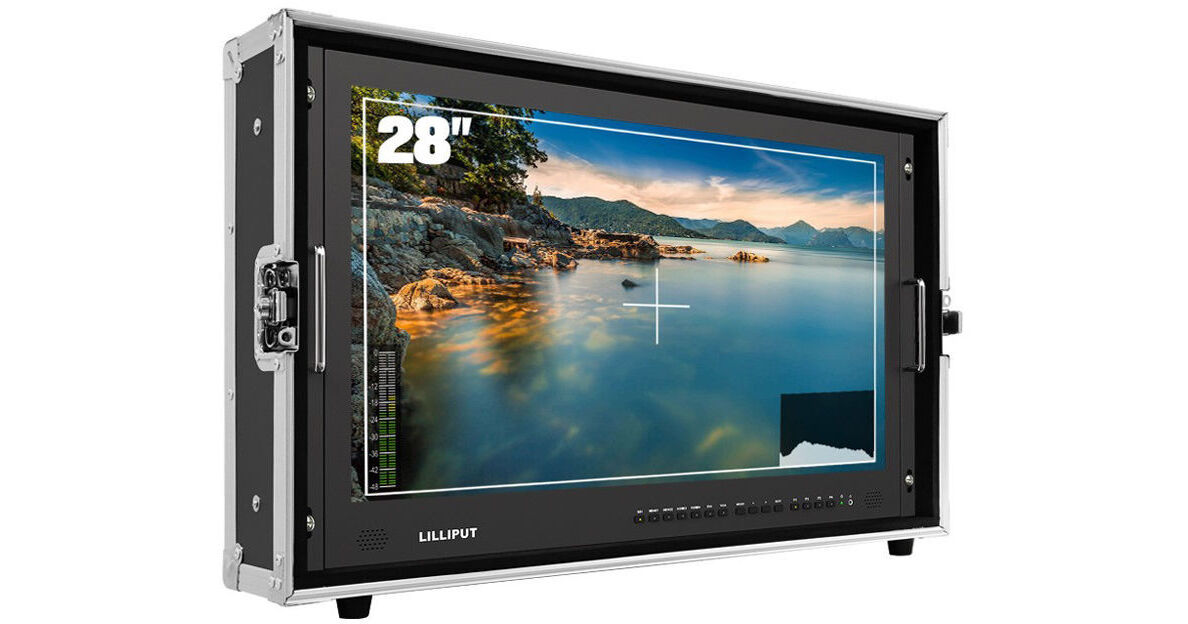
Key Features
- 28" 3840 x 2160 8-Bit LCD
- Supports up to DCI 4K Input
- HDR Support, Load Custom 3D LUTs via USB
- HDMI, SDI, DVI, VGA, USB, Tally Inputs
Built into a hard case, the Lilliput BM280-4KS Carry-On 4K Broadcast Monitor is a 28" native UHD 4K monitor with a V-mount battery plate, useful for both studio and field situations. The full capacity of the 3840 x 2160 UHD resolution 8-bit panel can be driven at up to 30 fps by any of the three HDMI 1.4 inputs, via one HDMI 2.0 input with up to DCI 4K sources, or via SDI input with up to 1080p60 sources.
More DetailsIn Stock
Protect Your Gear
Add a protection plan from $77.99
See Options
See any errors on this page?
Is there an option for the monitor, in the case, ...
Is there an option for the monitor, in the case, to be secured in the viewing position, to a tabletop for safety? I'm thinking
Aside from using some form of straps there isn't going to be a a way to mount the Lilliput BM280-4KS Carry-On 4K Broadcast Monitor (V-Mount) to a table top while it is inside it's hard case, as the hard case does not have nay mounting points. You could consider removing the monitor from the hard case, and then use a table top VESA mount monitor stand to mount the monitor to the table.
Date published: 2023-10-09
Can this be used with the Roland V-8HD HDMI Video ...
Can this be used with the Roland V-8HD HDMI Video Switcher?
Yes, you can use the Roland V-8HD with the Lilliput BM280-4KS Carry-On 4K Broadcast Monitor to multiview.
Date published: 2022-04-03
what is the different on BM280-4K model and ...
what is the different on BM280-4K model and BM280-4KS??
The new Lilliput BM280-4KS adds HDR and 3D LUT support.
Date published: 2022-02-08
How do I get an enter key to activate the LUT ...
How do I get an enter key to activate the LUT Converter?
Please contact Lilliput and give them your computer ID number to get an Enter key to activate the converter.
Date published: 2021-08-30
How do you add LUTs to this monitor? Seems like a ...
How do you add LUTs to this monitor? Seems like a very complicated process.
Please see instruction in the user manual or contact LILLIPUT USA for detail,thanks!
Date published: 2021-06-20
Do you need to remove the hard case to use the ...
Do you need to remove the hard case to use the vesa mount on a c-stand?
Yes, you have to remove it from the hardcase and also remove the Vmount battery slot to access the VESA mounting holes.
Date published: 2024-07-23
Can I see all 4 inputs (picture-in-picture) ...
Can I see all 4 inputs (picture-in-picture) simultaneously?
YES
Date published: 2023-07-21
One of the other answers on here says that each ...
One of the other answers on here says that each input will only "use a portion of the 1080p screen". Is this not a 4k screen?
The Lilliput BM280-4K Carry-On 4K Monitor (V-Mount) is a 3840 x 2160 resolution display. Each of the four camera inputs will take up a resolution of 1920 x 1080 when doing a quad pattern. 4K resolution is four times the pixel resolution of 1920 x 1080.
Date published: 2023-07-18