Ask Our Experts800-606-6969
Hello, Log InAccount & Orders

Sony Global
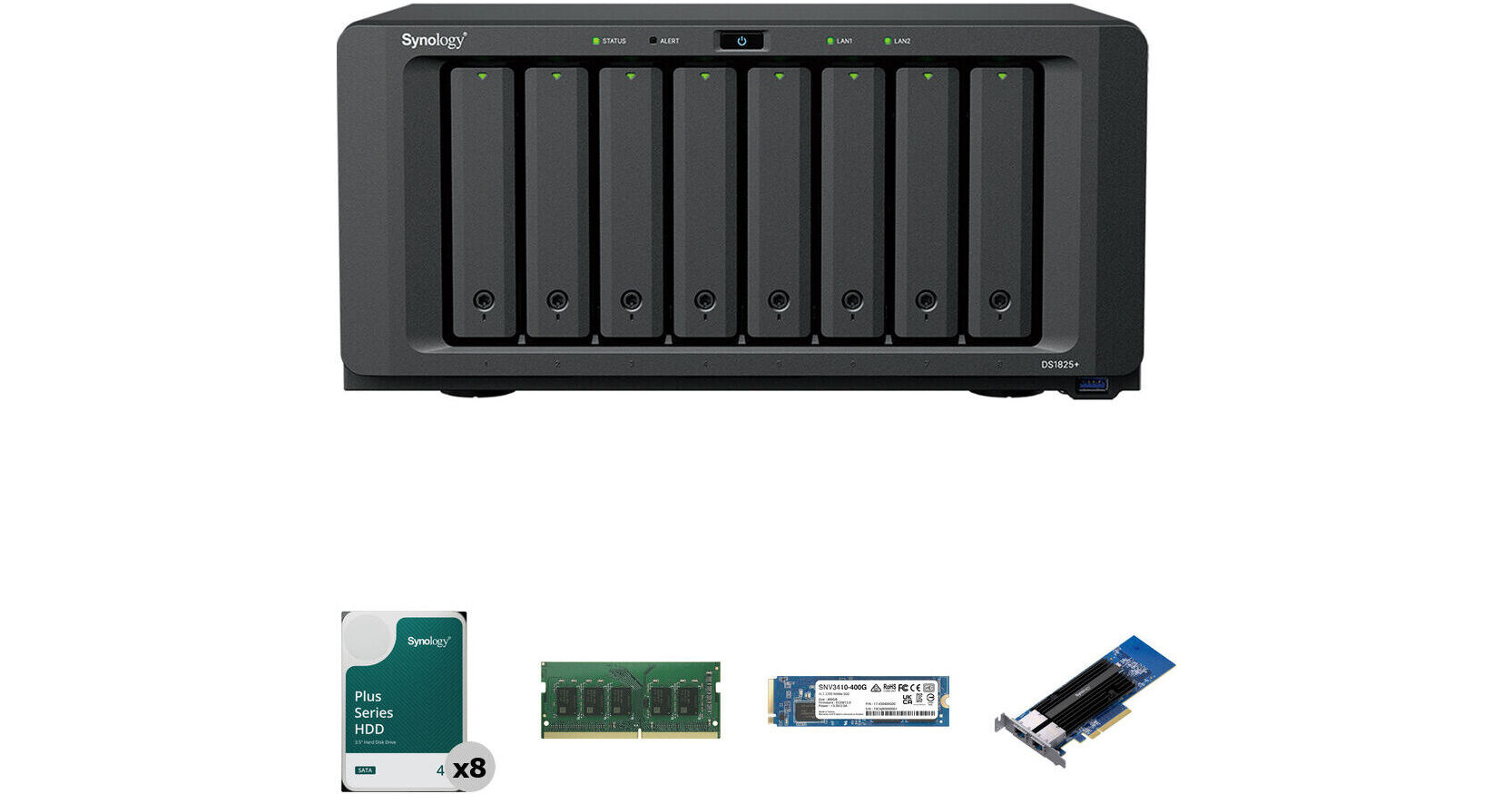
Synology 32TB DiskStation DS1825+ 8-Bay NAS Enclosure Kit with Internal SSD, RAM Expansion, and 10G Ethernet Card (8 x 4TB)
Key Features
- 32TB Storage Capacity
- 8 x 4TB 5400 rpm SATA III 3.5" NAS HDDs
- Includes 400GB NVMe M.2 2280 SSD
- Includes 2-Port 10G RJ45 to PCIe Card
This B&H Kit combines the Synology DiskStation DS1825+ 8-Bay NAS Enclosure with eight Synology 4TB HAT3300 Plus 5400 rpm SATA III 3.5" Internal NAS HDDs for a storage capacity of 32TB. Also included is a Synology 8GB DDR4 SO-DIMM ECC Memory Module, bringing the total amount of memory to 16GB, a Synology 400GB SNV3410 NVMe M.2 2280 SSD for caching, and a Synology E10G30-T2 2-Port 10G RJ45 Ethernet to PCIe 3.0 Adapter Card for network connectivity.
More DetailsTemporarily Out of Stock
Business Financing Options
See any errors on this page?
do they even take recent Iron Wolf HDDs that work ...
do they even take recent Iron Wolf HDDs that work fine with ds1817+ and ds1821+ without nagware?
The current Operating System allows for third party drives.
Date published: 2026-03-27
Does it still have nagware for non-synology ...
Does it still have nagware for non-synology drives?
Yes, the Synology DiskStation DS1825+ 8-Bay NAS Enclosure, B&H # SYDS1825P, will display a message alerting you that the drive is not on their compatibility list, and it might not allow you to use it at all; we would not recommend using any drives that are not listed by Synology on the compatibility list for the DS1825+.
Date published: 2026-02-25
can I migrate my 8 20TB Seagate drives from my ...
can I migrate my 8 20TB Seagate drives from my DS1821+ bought here directly just by moving the drives over?
Synology is now allowing 3rd party drive (check their compatibility lists) as of the 7.3 DSM update. They are finally listening to feedback from the customers.
Date published: 2025-12-01
for the M.2 2280 NVMe SSD, do i have to use ...
for the M.2 2280 NVMe SSD, do i have to use synology brand only? Is there a limit on the size of storage capacity for th M.2s?
Yes, for the Synology DiskStation DS1825+ 8-Bay NAS Enclosure, Synology officially requires you to use only Synology-branded M.2 2280 NVMe SSDs. Synology does not publish a specific capacity limit for individual M.2 drives, but the DS1825+ has a maximum single volume size of 108 TB by default.
Date published: 2025-09-25
Looks like a great replacement for my old ds1817. ...
Looks like a great replacement for my old ds1817. How do I transfer the old seagate drives with data on them?
The Synology DiskStation DS1825+ 8-Bay NAS Enclosure is currently only compatible with Synology-branded drives, so old Seagate drives would not work with it.
Date published: 2026-02-25
what dsm does it run?
what dsm does it run?
The Synology DiskStation DS1825+ 8-Bay NAS Enclosure would run Synology's latest DSM.
Date published: 2025-07-20
Can I use different capacity drives in this ...
Can I use different capacity drives in this enclosure?
Depending on how you have the drives configured, drives of various sizes can be used in the Synology DiskStation DS1825+ 8-Bay NAS Enclosure. Keep in mind if you have the drives configured in a RAID volume, then all of the drives in the volume will behave as though they have the capacity of the smallest drive in the volume, so it may not be ideal to use different-sized drives.
Date published: 2026-02-09
Cannot afford 8 new 20TB drives. How do I install ...
Cannot afford 8 new 20TB drives. How do I install my old DS1821 drives with data?
The Synology DiskStation DS1825+ 8-Bay NAS Enclosure is currently only compatible with Synology-branded drives.
Date published: 2026-02-25