
Just a few years ago, when DSLRs were the king in low-budget indie productions, it was easy to see the difference between the video quality of these hybrid stills/video cameras and a professional filmmaking tool. Currently, when talking about pure image quality, the differences aren’t always so obvious, and sometimes they’re practically nonexistent. With Sony’s latest and greatest mirrorless releases of the a7R II and a7S II, this line has been blurred even more, and this is the reason we set out to determine if these supposedly lower-end 4K video-recording options can hold up when put side by side with one of Sony’s professional 4K video cameras, the FS7.
"The first and, to many, the most important test of all these cameras was the dynamic range test, especially since each had its own quirks with the available settings."
To guarantee the best possible images and a neutral setup, we used a Sekonic light meter with spot and incident metering to measure light in the scenes. We also recorded everything externally using a Video Devices PIX-E5H with the ProRes 422 HQ codec and made sure to use the same lenses for each of the tests, except rolling shutter, because we had to maintain a similar field of view. Finally, we used each camera in its “best” modes, which means that the a7S II was used in full frame, the a7R II was used in its Super 35/APS-C crop mode, and the FS7 was used primarily in its CineEI mode. For a comparison of the a7R II’s 4K full-frame and 4K Super 35 modes, read our hands-on review.
We decided on these modes based on personal testing and experience. The a7S II clearly demands full frame for 4K to get full pixel readout without interpolation; the a7R II does pixel binning in full frame while it does a true down-sample in Super 35; and Sony advises the Cine EI settings for maximum quality. As a note, when we began this test, the FS5 was not yet available for testing, though for the purposes of this test we wanted to see how well these mirrorless cameras held up to an excellent, well-tested standard in the video world.
Dynamic Range
The first and, to many, the most important test of all these cameras was the dynamic range test, especially since each had its own quirks with the available settings. Heading into the test, we expected the a7R II to be the most limited, with solely the older S-Log2 gamma option available; the FS7 to have the greatest range, thanks to its S-Log3 gamma mode and variety of imaging controls; and the a7S II to sit comfortably between the two. In order to test this, we shot all of the cameras with the same tough scene: a sunny day with dark shadows and bright highlights. Each camera was kept at its base/native ISO, which is 800 for the a7R II, 1600 for the a7S II, and 2000 for the FS7.
| Dynamic Range (Ungraded) | |||
|
a7R II (S-Log2) |
|
|
|
|
a7S II (S-Log2) |
|
|
|
|
a7S II (S-Log3) |
|
|
|
|
FS7 (S-Log2) |
|
|
|
|
FS7 (S-Log3) |
|
|
|


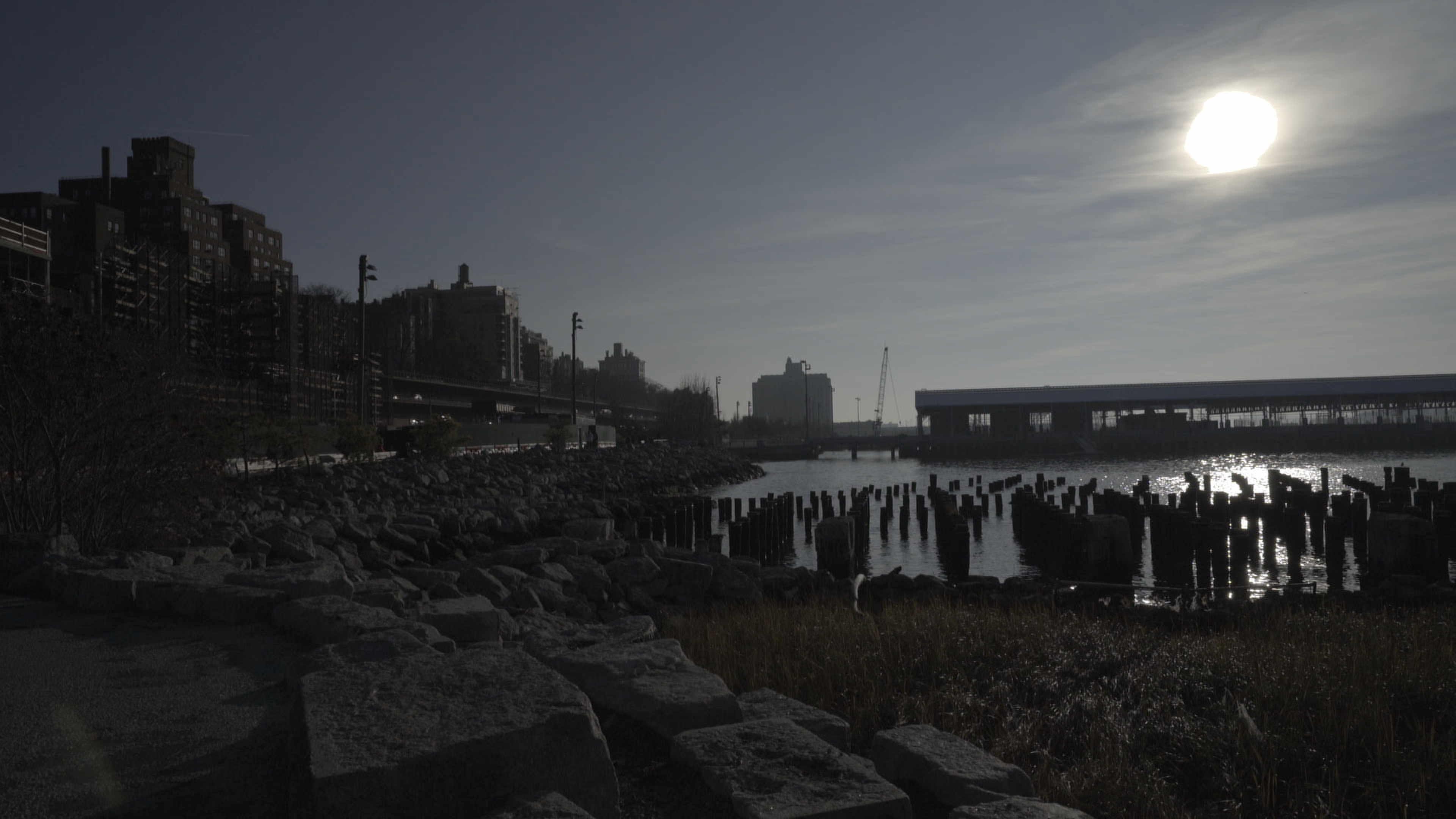

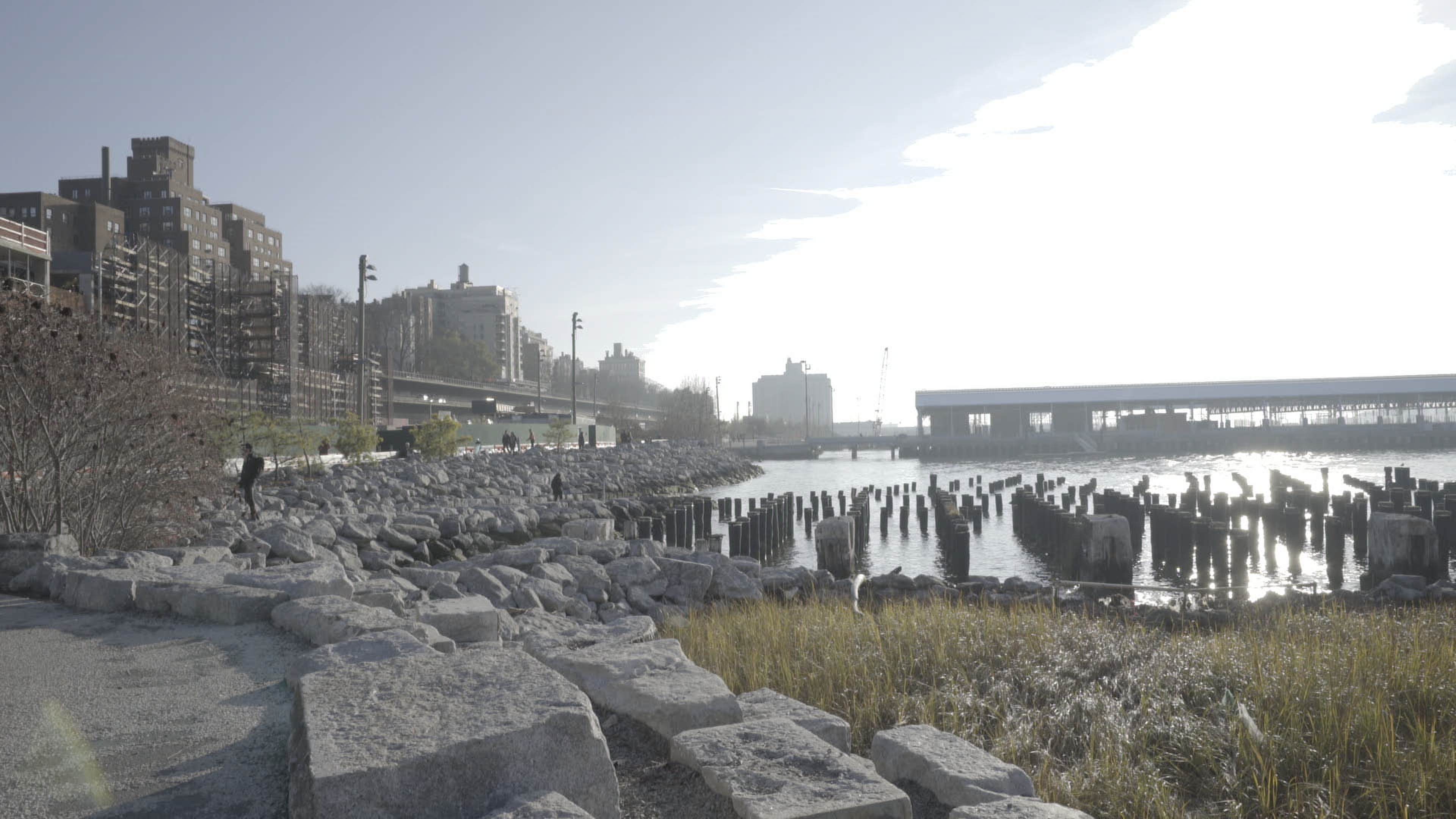


In practice, the FS7 is the clear champion, as expected, with the reason being smoother transitions in the highlights. This is when all cameras are exposed correctly, of course. The shadows held onto detail quite well and could hold up to a normal amount of push and still be very clean. When moving to overexposure, the FS7 again retained its top spot. The a7R loses out here, with its S-Log2 only capability, since S-Log3 does a better job of keeping highlights around. Where things began to equalize was when we underexposed the cameras.
The a7 series produces a cleaner image overall, meaning that the shadows were noise free, comparatively. We saw that at -1 and -2 EV, bringing back the shadows was much easier with the mirrorless bodies than the FS7. This was surprising, because the shadows became unusable when pushed more than a stop with the FS7. In practice, this may sway many shooters to pick up an a7 for certain scenarios, since the usable dynamic range will be much greater in dark environments. See below for an entire collection of stills from the cameras.
Color
S-Log3, S-Log2, S-Log3.Cine, S-Gamut, etc… Choosing settings for these cameras can easily become difficult to comprehend. One thing we were curious to see was whether there were differences between how the cameras handled skin tones, depending on what settings were chosen, and whether the extra two bits provided by the FS7’s 10-bit output offer a huge benefit compared to the 8-bit output of the a7 series.
It was quickly apparent that the FS7 held on to much more color, requiring a much smaller boost to contrast and saturation than either a7. This was especially true in the highlights and likely the main reason why highlight roll-off is much better looking than on either a7. Skin tones are always a notable concern and here, the 10-bit footage from the FS7 was very easy to work with to balance accurate-looking skin with a natural-looking environment. The a7S II’s S-Log3 was a very close second, creating a near-perfect match. The surprising change is S-Log2, which tended to have a magenta cast that was difficult to correct. It is possible but requires a bit more work than the newer S-Log3 gamma.
 |
 |
 |
|
a7R II (S-Log2) |
a7S II (S-Log3) |
FS7 (S-Log3) |
In the end, everything can be accounted for in post, with a bit of work. See the images below, as well as others throughout the article, and you will find that most differences are made negligible during the grading process.
Resolution
This test turned out to be a little bit of a surprise. The a7R II and FS7 both appeared to be about equal in sharpness, likely due to the oversampling provided by the higher-resolution sensors. We used the excellent Sony FE 90mm f/2.8 G Macro OSS lens at f/4 for this test and focused on some text in a book to provide the detail. In practice, adding contrast to the image or sharpening in post will nullify this advantage, but it was an interesting find, since we initially expected similar performance from all three cameras.
 |
 |
 |
| a7R II | a7S II | FS7 |
Rolling Shutter
Unsurprisingly, this revealed the difference between the cameras most easily, and shows what you get with a true video camera, compared to hybrid options. The FS7, with its larger body, processing, and dedicated video sensor design, result in much more manageable rolling shutter compared to the minuscule mirrorless cameras. It is still there, not as absent as one would hope, but well enough within average shooting parameters that most people will be able to avoid seeing the worst of it.
 |
 |
 |
| a7R II | a7S II | FS7 |
The a7 series, as we have demonstrated in the past, does have some pretty noticeable rolling shutter effect. It is one of the main bugs of these usually spectacular cameras. Of interest in our results was that the a7S turned out footage with slightly less rolling shutter effect than the a7R. It is almost unnoticeable, but the difference is there, all but cementing the a7S as a clear choice for more video-oriented a7 shooters. Our explanation for the difference: the pixel count of each camera. They have the same processors, so the a7R’s need to down-sample from a pixel count of 15MP in Super35 mode must lengthen the read speed. One fix is to use the full-frame mode, which offers improved rolling shutter performance due to line skipping, but the noticeable decrease in quality here is usually not worth it.
ISO
One of the few definitive wins for mirrorless, the ISO title belt easily goes to the a7S. Thanks to the large pixels on the full-frame sensor, the a7S offers a sensitivity that is simply unmatched with 4K resolutions. We would easily use this at up to 25600 ISO, though in a pinch 51200 could be very usable for you, though with a loss of detail.
Compared to its direct sibling, the a7R, we rated the difference at around two full stops, backing up differences in the sensors’ native ranges. The a7S may be king, but how well the a7R holds up in low light is quite impressive itself, due in large part to its back side illuminated sensor. Using the camera at up to ISO 12800 should be fine for many applications though, ideally, 6400 and lower offers much better performance and is the range in which you’d want to stay for most commercial and narrative work.
The FS7, it seems, falls short in this arena. Lacking the benefit of back-illuminated sensor technology or gigantic pixel size, as well as the camera’s own desire to stay at ISO 2000 in its Cine EI mode, present a huge disadvantage. When adjusting the ISO, we found our maximum at around 6400.
One thing to note is that sensitivity plays a huge role in practical dynamic range concerns. In our tests, the a7S was best able to handle underexposure, and the FS7 started to get noisy when pushed more than a stop. While the FS7 still performs admirably compared to many other professional camcorders, event and doc shooters who can't always guarantee having a light kit to back them up should consider the low-light benefits of the a7 series.
Another thing we noted was that S-Log3 turned in noisier shadows than S-Log2, which makes sense, given the gamma curve pushes up the shadows more. This can be mostly corrected in a grade but, should you find yourself constantly pushing shadows, you may want to use S-Log2 instead.
Body Design and Operation
Comparing the physical aspects of these cameras is more of a pros-and-cons activity if you are on the buying front, but we will start with a list of what we personally like, and don't like, when we pitted these cameras against each other.
The FS7 is a full-size video camera and, as such, has all of the buttons you could wish for, as well as a monitor, rosette handgrip, and a more natural shoulder-mounted shooting position. Also, the most critical difference for many will be native XLR jacks and a proper mic mount, enabling substantially better audio with dedicated controls and connections. Another big advantage are the built-in three ND filter stages, which facilitate shooting at the camera’s base ISO of 2000. The FS7’s body design is tried-and-true for good reason, and many video shooters will find it to be much quicker to use.

The a7s, on the other hand, offers supremely compact bodies with one notable advantage—in-body image stabilization, something that helps correct for the shake and jitters common to shooting handheld with the compact bodies Also, the cameras offer full-frame shooting (though the a7R II loses some quality in this mode), and that is to be commended. Besides this, the obvious upside/downside of these mirrorless cameras is the photo-oriented control scheme. For many, the familiarity will be appreciated if you are moving up from a DSLR or other low-end camera, but for video shooters, the lack of dedicated dials and buttons for many commonly needed settings will be extremely aggravating.
 |
 |
Another potential downside to the mirrorless cameras is that they require a lot of additional equipment to outfit them for shoulder-mounted shooting, including a rod support system, handgrips, shoulder mount, and a monitor/EVF. The poor battery life of the a7 series battery also can’t be ignored, so an external battery solution is a must-have for many applications. However, the camera’s ability to be used as-is in its compact form lets it go places that a larger camera like the FS7 simply can’t, and also means you may not need as heavy duty a tripod or slider for general use.
This will obviously come down to personal choice, but any comparison between the cameras has to include the basic pros and cons of each.
The Finale
So, what was the point of all these tests? Well, they showed us that in terms of pure image quality, the latest mirrorless cameras not only hold their own, but can occasionally best a professional video camera. However, there are many things provided by video cameras that demand the premium pricing and space requirements that you simply will never get with these hybrid models. Budget users wondering if they made the right choice can be happy to know that the a7 series will provide a stellar image, and high-end users will know why they needed the additional features of a full-size video camera.
In the end, while we may have proven differences between them, in practical usage it will be difficult to see these differences. So below, please find a video that incorporates footage from all three cameras. See if you can find the differences and, if you want take a guess about which camera was used for a particular shot, please do so in the Comments section, below.
