Search results for: video tips solutions video file sizes guide
About 11 filtered results
by Steven Esposito · Posted
Building a PC can be difficult for those who are new to the hobby. Seasoned builders like me picked up on a lot of tips and tricks when it comes to assembling PCs, so today I am going to share a full step-by-step guide on how to assemble your PC with a few extra pieces of information to help you along the way. We are going to answer questions and do our best to ensure that your installation process goes smoothly.
I am going to assume that you, reader, are a fellow gaming enthusiast. I am also going to speak about the most common types of PCs

by Mathew Malwitz · Posted
Smartphones have forever changed the world of photography, making the art form more accessible and connecting people from across the world through the instantaneous sharing of images. For all their benefits, there are plenty of criticisms to be had, especially on the creative front. Smartphone cameras are, for some, everything one could want from a camera. For others, they lack the control and creative freedom that makes photography so interesting.
Who can blame one for having hard feelings against smartphones. After all, they nearly wiped

by Zack Young · Posted
Once you’re familiar with the basic concepts behind high-volume photography, the next logical step is to figure out what gear you need to purchase. That’s when the panic might hit. Suddenly you’re flooded with decisions about cameras, lenses, strobes, backdrops, barcode scanners, and more, each category including tons of different options at every

by Zack Young · Posted
You can shoot an entire movie on your phone these days, but good luck finishing it before the dreaded “Storage Full” message pops up. As smartphone video quality has risen, so too has the size of the files they spit out. In fact, many iPhones can’t even shoot in their highest quality settings unless recording to an external drive. What are the best options for saving video on the go? Let’s look at five storage solutions for stepping up your mobile workflow.
SanDisk PRO-CINEMA CFexpress Type B Card Recorder
If you’re in the professional video

by Mos Khan · Posted
While choosing the right SSD for your custom PC isn’t as complicated as picking the right motherboard, there's more to it than just finding the right capacity. In this guide we'll show you how to pick the right storage for your build and give you some need-to-know tips on topics like form factor or read/write speeds.
Form Factor
Let's get into the kinds of storage you're likely to come across in your search. These days,

by Zack Young · Posted
Enter the Sony BURANO 8K Digital Motion Picture Camera, Sony's newest jack-of-all-trades cinema camera that aims to combine the best features from the company's CineAlta, FX, and Alpha lines. Part of its versatility comes from the array of recording formats and resolutions it can capture, as well as a physical camera body that can accommodate a range of accessory options. So, what recording modes should you be using and how

by Mary Latvis · Posted
Welcome to Filmmaking 101, where we offer some tips on how to go about creating your movie masterpiece. Read on to discover suggestions for your pre-production, production, and post-production phases.
Pre-Production
Scriptwriting
You have your idea for an arthouse masterpiece or an action-based blockbuster; now how do you translate that into a script―the backbone of your production? You can use MS Word, Google Docs, or another document program. But using dedicated screenwriting software provides the standard formatting, outline tools,

by Allan Weitz · Posted
As a working photographer, the center of the universe is your camera bag and its contents. Your cameras and lenses are the tools of your trade. As you may have noted, both are mentioned in plural because just as you wouldn’t jump out of an airplane without a backup parachute, you shouldn’t attempt to photograph an emotionally spiked, non-repeatable event armed with only one camera. The same applies to lenses, too. The many aspects that comprise shooting weddings—portraits, the ceremony, dimly lit environs, tight, crowded quarters and bright

by Shawn C. Steiner · Posted
Love it or hate it, high-quality video is now a significant part of the latest DSLRs, mirrorless cameras, and point-and-shoots. This is, in part, because of a greater consumption of video content, thanks to faster Internet, impressively good mobile screens, and what I see as a natural evolution of visual media. So, with this higher demand of stellar video content, many dedicated still photographers are making the leap to video. This series is designed to help guide a photographer through the often confusing world of digital filmmaking.
A few

by Allan Weitz · Posted
Sometimes, the phrases, acronyms and strings of numbers or number-letter combinations used to identify photographic hardware or techniques can be daunting to the uninitiated neophyte photographer.
We've prepared a list of the basic terms. Have we left any out that you think should be added? Please let us know!
0-9 | A | B | C | D | E | F | G | H | I |
by Chris Goldin · Posted
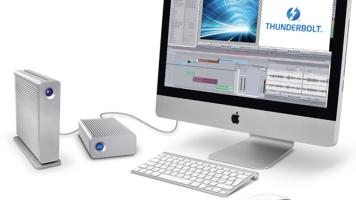
Video editing is one of the most demanding tasks you can execute on a computer. A modern video-editing program such as Adobe Premiere requires high performance from the processor, RAM memory, GPU (if using GPU acceleration), as well as storage drives. Choosing a fast storage solution can be a little tougher than picking the fastest computer processor, as there are more tradeoffs involved. The largest drives aren’t