Computer Peripherals & Accessories

Whether you are gaming, handling large files, or anything between, Samsung is here to assist with its latest all-purpose 990 M.2 NVMe SSDs. Balancing performance, capacity, and value, the 990 can fit into a myriad of scenarios no matter what you are doing. Whether you need to expand your storage by a little or by a lot, you have options with 1TB and 2TB models.
Featuring PCIe 4.0 technology, the 990 delivers solid performance with max sequential read and

Building a PC can be difficult for those who are new to the hobby. Seasoned builders like me picked up on a lot of tips and tricks when it comes to assembling PCs, so today I am going to share a full step-by-step guide on how to assemble your PC with a few extra pieces of information to help you along the way. We are going to answer questions and do our best to ensure that your installation process goes smoothly.
I am going to assume that you, reader, are a fellow gaming enthusiast. I am also going to speak about the most common types of PCs

A computer is only as good as the components that power it. Typically, I try to stick with a system that fits into the midrange area of power, but what happens when I get my hands on a graphics card powered by NVIDIA’s GeForce RTX 5080 GPU? Well, my mind becomes completely blown away by the performance and finer details dazzling across my screen. With that said, let’s take a closer loop at this GPU to see exactly what NVIDIA is bringing to the table.
PNY
First and foremost, I must give PNY a proper shout-out as they let me test their

UGREEN is one of the unsung heroes of computer peripherals. I own one of their M.2 NVMe enclosures, which allows me to transform my 1TB internal SSD into an external one without breaking the bank! I really love how quick and easy it is to use, and I feel like the overall design is durable and reliable. This begs the question: Does UGREEN have what it takes to go big? With the DH4300 Plus 4-Bay

Gamers, developers, and workstation users, rejoice! SanDisk has announced its latest Optimus GX series of solid-state drives aimed to deliver enhanced speeds for systems big and small alike. This Optimus GX lineup includes both PCIe 4.0 and 5.0 drives with varying degrees of capacities and performance profiles to enhance your overall experience! Whether you are rendering large projects or playing your favorite game, SanDisk is here to lay the groundwork for your next big thing.

Logitech announces the latest additions to its G family of devices, the all-new G915 X LIGHTSPEED keyboard and PRO X SUPERLIGHT 2 DEX mouse. Optimized for gamers and esport athletes, these new G-series accessories will help you get the upper hand in the heat of all your virtual battle.
G915 X LIGHTSPEED Gaming Keyboards
For the gaming enthusiasts out there, Logitech offers the
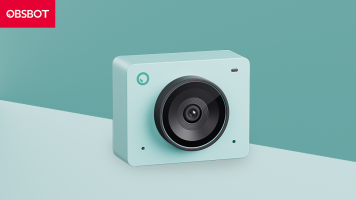
OBSBOT announces a new and improved model of its famed webcam with the Meet 2 4K Webcam. Designed for situations ranging from conference calls to creative online content, the Meet 2 includes higher-quality visuals while maintaining the features and build quality that made the original Meet beloved by many. Unlike its predecessor, the Meet 2 features a lightweight and compact design, suitable for stationary and mobile usage

0 Views ·Posted
Take Wacom's display quality and top-tier precision on the go with the Movink 13! This portable drawing tablet is comparable to your desktop tablet's display, in a package the size of a laptop. Join Reilly to learn more!
0:00 - Intro
0:34 - Specs
1:47 - Pro Pen 3
2:22 - Reilly's Experience
3:03 - Is This for You?
3:17 - Animation
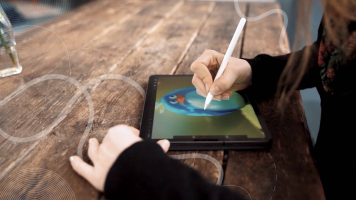
Apple recently announced a bunch of new iPads, and if you're planning on picking one up, you should definitely pair it with an accessory or two. Not only will the right accessory provide additional functionality, it will also improve your overall experience by helping you get the most out of your new iPad. Here's a list of some our favorite iPad accessories.
Apple Pencil
Without a doubt, the

Creating professional illustrations and touching up photos while on location just became easier with the launch of the Wacom Movink 13 Creative Pen and Touch Display. In addition to its portable design, this creative display features a 13.3” Full HD OLED touchscreen that supports 10-bit color with sharp contrast, delivering 100% DCI-P3 and 95% Adobe RGB coverage. Connecting your compatible device allows you to transfer

Streaming has never been more approachable than it is right now. Regardless of the type of content you want to stream, the right equipment is readily available and in most cases relatively easy to set up. In this beginner’s guide, we’re going to take a look at the different tools and equipment you’re going to need in order to get started on your journey to become a streamer.
Getting Started
Most conventional streaming setups include a web camera, microphone, streaming software, and a capable PC with a stable internet connection. Depending on

Whether you've just built or invested in a PC, the right accessories can significantly elevate your desktop space and improve your experience in little ways―or even change the way you interact with your machine altogether. We've put together this guide to share some accessories that we love using in our setups and hope you will, too.
Keyboard & Mouse
Sure, any mouse or keyboard can get the job done for casual browsing, but we think it’s absolutely worthwhile investing in the right keyboard and mouse from the jump. It's like the desktop
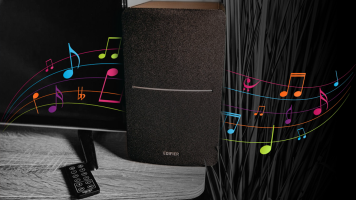
While built-in speakers might get the job done, if you really want your audio to sing, investing in a decent pair of speakers can get you a lot more enjoyment. Thankfully, you don't have to break the bank to get speakers capable of outputting quality audio. The best budget speakers can elevate your listening experience and, to help you get started on your search, we've rounded up a couple of our favorite ones below.
Best Speakers for less than $100: Creative Pebble Pro
Creative's Pebble speakers have started to garner a bit of a cult following

If you're looking to fully immerse yourself in your favorite games, having a great headset is key. There is nothing like hearing the revving of your car’s engine as you put the pedal to the metal or the pattering sounds of footsteps of another player trying to get the jump on you. But not every headset is meant for every person, and everyone has a different level of what they like and dislike. So today we'll highlight some of the best gaming headsets for all sorts of occasions. Whether you are looking for something budget friendly or the best

In 2019, the launch of the Wacom One Creative Pen Display introduced the world to an entry-level 13.3" pen display that allowed users to make precise photo edits and draw detailed illustrations directly on a Full HD color display. Four years later, the Wacom One 13 touch Pen Display and the