RAID Hard Drive Arrays

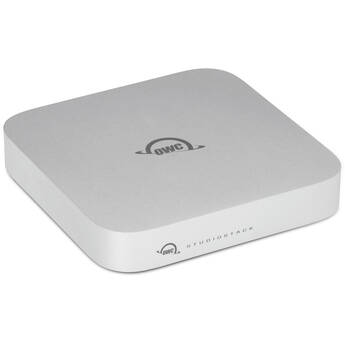
OWC 7TB StudioStack Thunderbolt 5 Storage Hub (1 x 1TB NVMe SSD, 1 x 7TB HDD)
- 7TB Storage Capacity
- 1 x 1TB NVMe PCIe 4.0 M.2 SSD
- 1 x 6TB 7200 rpm SATA III 3.5" HDD
- 1 x Thunderbolt 5 Host Port
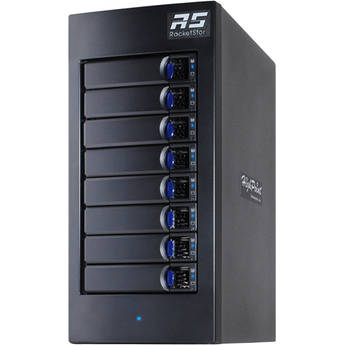
HighPoint RocketStor 8-Bay Thunderbolt 3 RAID Enclosure
- 8 x 3.5/2.5" SATA/SAS Drive Bays
- 2 x Thunderbolt 3 Ports
- RAID 0, 1, 5, 6, 10, 50, & JBOD
- Up to 2400 MB/s in RAID 0 with SSDs
OWC Flex 1U4 4-Bay Thunderbolt RAID Expansion Enclosure
- 4 x 2.5/3.5" SATA III / U.2 Drive Bays
- 2 x Thunderbolt 3 Ports
- 2 x USB-C 3.2 Gen 2
- 3 x USB-A 3.2 Gen 2
OWC 21TB miniStack STX & Thunderbolt Hub Xpansion (1TB SSD + 20TB HDD, Matte Silver)
- 21TB Storage Capacity
- 1TB PCIe 4.0 x4 M.2 2280 SSD
- 20TB 7200 rpm SATA 3.5" Hard Drive
- 3.5/2.5" Drive Bay | NVMe PCIe M.2 Slot
OWC ThunderBay Flex 8 8-Bay Thunderbolt 3 RAID 5 Enclosure (Software Controller)
- 8 x 3.5" / 2.5" SATA / SAS Drive Bays
- 4 x U.2 NVMe SSD Compatible Drive Bays
- 2 x Thunderbolt 3 Ports
- USB 3.2 Gen 2 | DisplayPort
Glyph Technologies Blackbox PRO RAID 24TB 2-Bay Thunderbolt 3 RAID Array with Hub (2 x 12TB)
- 2 x 12TB 7200 rpm Enterprise 3.5" HDDs
- 2 x 3.5" SATA III Drive Bays
- 2 x Thunderbolt 3 | 1 x DisplayPort
- USB-A 3.2 Gen 2 | CFast 2.0 | UHS-II SD
OWC Gemini 32TB 2-Bay Thunderbolt 3 Raid Array (2 x 16TB)
- 32TB Storage Capacity
- 2 x 16TB 3.5" 7200 rpm HDDs
- 2 x Thunderbolt 3 | 2 x USB-A 3.2 Gen 2
- 1 x 2.5 GbE LAN Port
Buffalo DriveStation Quad 24TB 4-Bay USB 3.0 RAID Array (4 x 6TB)
- 4 x 6TB NAS Hard Drives
- 4 Hot-Swappable Drive Bays
- USB 3.0 Interface
- RAID 0, 1, 5, 10, JBOD
G-DRIVE 24TB G-RAID PROJECT 2 2-Bay Thunderbolt 3 RAID Array (2 x 12TB)
- 2 x 12TB 3.5" 7200 rpm Enterprise HDDs
- 2 x SATA III 3.5" Drive Bays
- 1 x PRO-BLADE SSD Mag Slot
- 2 x Thunderbolt 3 Ports
OWC Mercury Elite Pro Quad 24TB 4-Bay USB-C 3.2 Gen 2 RAID Array (4 x 6TB)
- 4 x 6TB 7200 rpm SATA III 3.5" HDDs
- 4 x 3.5/2.5" SATA III Drive Bays
- USB-C 3.2 Gen 2 Interface
- Supports RAID 0, 1, 0+1, 4, 5, and JBOD
OWC Mercury Elite Pro Quad 32TB 4-Bay USB-C 3.2 Gen 2 RAID Array (4 x 8TB)
- 4 x 8TB 7200 rpm SATA III 3.5" HDDs
- 4 x 3.5/2.5" SATA III Drive Bays
- USB-C 3.2 Gen 2 Interface
- Supports RAID 0, 1, 0+1, 4, 5, and JBOD
Oyen Digital Mobius 2C 48TB 2-Bay USB 3.2 Gen 2 RAID Array (2 x 24TB HDDs)
- 2 x 24TB 7200 rpm 3.5" Enterprise HDDs
- 2 x 3.5" Drive Bays
- 10 Gb/s USB-C 3.2 Gen 2 Interface
- 10 Gb/s USB-C Hub Port with 15W of Power
Glyph Technologies 44TB Blackbox PRO RAID 2-Bay Thunderbolt 3 RAID Array (2 x 22TB)
- 44TB Storage Capacity
- 2 x 22TB 7200 rpm SATA Enterprise HDDs
- 2 x Thunderbolt 3 | 1 x DisplayPort
- RAID 0, 1, JBOD, and SPAN
Rocstor Rocpro U35 40TB 4-Bay USB-C 3.2 Gen 1 RAID Array (4 x 10TB)
- 4 x 10TB 7200 rpm 3.5" HDDs
- 4 x 3.5/2.5" SATA III Drive Bays
- USB-C 3.2 Gen 1 | DisplayPort 1.1a
- Supports RAID 0, 1, 5, and JBOD
OWC 8TB miniStack STX & Thunderbolt Hub Xpansion (8TB SSD, Matte Silver)
- 8TB Storage Capacity
- 8TB PCIe 4.0 x4 M.2 2280 SSD
- 3.5/2.5" Drive Bay | NVMe PCIe M.2 Slot
- 1 x Thunderbolt 4 Port with 96W PD
Promise Technology Pegasus32 R6 24TB 6-Bay Thunderbolt 3 RAID Array (6 x 4TB)
- 6 x 4TB 7200 rpm SATA III 3.5" HDDs
- 6 x 3.5" SATA III 6 Gb/s Drive Bays
- 2 x Thunderbolt 3 | 1 x DisplayPort 1.4
- Supports RAID 0, 1, 1E, 5, 6, {R68}
Sabrent USB 3.2 Gen 2 5-Bay 3.5" SATA Hard Drive Tray-Less Docking Station 60TB Kit
- 5 x 12TB IronWolf Pro 7200 rpm HDDs
- 5 x 3.5" SATA III Bays
- 2 x USB-C 3.2 Gen 2 Ports
- Hot-Swappable Design
OWC ThunderBay 8 48TB 8-Bay Thunderbolt 3 RAID 5 Array (8 x 6TB)
- 8 x 6TB HDDs
- 8 x 3.5/2.5" SATA Drive Bays
- 2 x Thunderbolt 3 (USB Type-C) Ports
- 1 x DisplayPort 1.2
OWC 32TB StudioStack Thunderbolt 5 Storage Hub (1 x 8TB NVMe SSD, 1 x 24TB HDD)
- 32TB Storage Capacity
- 1 x 8TB NVMe PCIe 4.0 M.2 SSD
- 1 x 24TB 7200 rpm SATA III 3.5" HDD
- 1 x Thunderbolt 5 Host Port
Areca ARC-8050T3 36TB 6-Bay Thunderbolt 3 RAID Array (6 x 6TB)
- 36TB Storage Capacity
- 6 x 6TB 3.5" Hard Drives
- 6 x SAS-3 / SATA III Drive Bays
- 2 x Thunderbolt 3 | 1 x DisplayPort 1.2
OWC Mercury Elite Pro Quad 96TB 4-Bay USB-C 3.2 Gen 2 RAID Array (4 x 24TB)
- 4 x 24TB 7200 rpm SATA III 3.5" HDDs
- 4 x 3.5/2.5" SATA III Drive Bays
- USB-C 3.2 Gen 2 Interface
- Supports RAID 0, 1, 0+1, 4, 5, and JBOD
Promise Technology Pegasus32 R6 60TB 6-Bay Thunderbolt 3 RAID Array (6 x 10TB)
- 6 x 10TB 7200 rpm SATA III 3.5" HDDs
- 6 x 3.5" SATA III 6 Gb/s Drive Bays
- 2 x Thunderbolt 3 | 1 x DisplayPort 1.4
- Supports RAID 0, 1, 1E, 5, 6, {R68}
G-DRIVE G-RAID SHUTTLE 4 72TB 4-Bay Thunderbolt 3 RAID Array (4 x 18TB)
- 4 x 18TB 7200 rpm 3.5" HDDs
- 4 x SATA III 3.5" Drive Bays
- Dual 40 Gb/s Thunderbolt 3 Ports
- Supports RAID 0, 1, 5, and 10
OWC ThunderBay 8 96TB 8-Bay Thunderbolt 3 RAID 5 Array (8 x 12TB Enterprise)
- 8 x 12TB Enterprise-Class HDDs
- 8 x 3.5"/2.5" SATA Drive Bays
- 2 x Thunderbolt 3 Ports
- 1 x DisplayPort 1.2
OWC ThunderBlade X8 16TB 8-Bay Thunderbolt 3 RAID Array (8 x 2TB)
- 16TB Storage Capacity
- 8 x 2TB NVMe M.2 2242 SSDs
- 2 x 40 Gb/s Thunderbolt 3 Ports
- RAID 0, 1, 4, 5, and 10 (1+0)
Oyen Digital Fortis 5C 150TB 5-Bay USB 3.2 Gen 2 External Drive Array (5 x 30TB) with SoftRAID 8 Premium
- 5 x 30TB 3.5" 7200 rpm Hard Drives
- 5 x 2.5/3.5" Drive Bays
- 1 x USB-C 3.2 Gen 2 Port
- Preformatted exFAT for Windows/Mac/Linux
OWC ThunderBay Flex 8 128TB 8-Bay Thunderbolt 3 RAID Array (8 x 16TB HDDs)
- 128TB (8 x 16TB HDDs)
- 8 x 2.5/3.5" Drive Bays
- NVMe and SATA III Drive Interfaces
- Supports RAID 0, 1, 0+1, 4, 5, and JBOD
G-DRIVE G-RAID SHUTTLE 4 96TB 4-Bay Thunderbolt 3 RAID Array (4 x 24TB)
- 4 x 24TB 7200 rpm 3.5" HDDs
- 4 x SATA III 3.5" Drive Bays
- Dual 40 Gb/s Thunderbolt 3 Ports
- Supports RAID 0, 1, 5, and 10
Everything You Need to Know about RAID Hard Drives (RAID Arrays)
Faster performance, data protection, and duplication of drives are the primary benefits of RAID arrays. They help protect individuals and companies from losing important data in the event of operating-system or hard-drive malfunction. A number of hard drive array accessories further guard against damage to your system. Popular accessories include hard drive enclosures and docks and storage cases for transportation.
What Is a RAID Array?
RAID stands for redundant array of independent disks, but not every RAID array level provides redundancy. Three forms of RAIDs protect hard drive contents:
- Hardware-based RAID: A physical controller manages the array; the array may or may not be part of the motherboard.
- Software-based RAID: Hardware system resources operate the controllers.
- Firmware or driver-based RAID: The firmware controller chip is part of the motherboard, and the CPU manages the functions.
Use internal hard drive cages to protect hard drives from jostling and from damage due to overheating during failure.
How Does a RAID Array Work?
RAID arrays distribute data across multiple disks, allowing processes or operations to evenly overlap. Using multiple disks increases mean time between failure, thereby increasing fault tolerance. Hard drive arrays trick an operating system into believing it's operating on one logical hard disk. Arrays can perform disk striping, mirroring, or a combination of both depending on the level of RAID hard drives being implemented.
Different Types of RAID Arrays
Some RAID systems are more useful than others because of their specific benefits and features. The five main levels of arrays commonly used in business are:
- RAID 0: Minimum two disks, striping, no redundancy, not for critical systems
- RAID 1: Minimum two disks, mirroring, redundancy
- RAID 5: Minimum three disks, redundancy, for read-oriented databases
- RAID 6: All functions of RAID 5, can operate with two failed discs, difficult to set up RAID controller
- RAID 10: Minimum four disks, striping and mirroring, best performance and redundancy, most expensive
Most types are available for both hardware and software, and finding a RAID system for Mac is just as easy as finding for one for a PC.
How to Choose a RAID Array
To choose a RAID array for personal or business use, keep the following information in mind. If critical drive recovery is important to your level of data, RAID 0 or 1 isn't going to provide required functions. If you have a read-oriented database and need a distributed parity, RAID 5 is best. RAID 6 and 10 are more suitable options for large businesses because they each work well for critical drives.
Find a wide range of RAID arrays at B&H Photo and Video and use them alongside wireless storage devices to extend company options for data protection and recovery after critical failures.