RAID Hard Drive Arrays

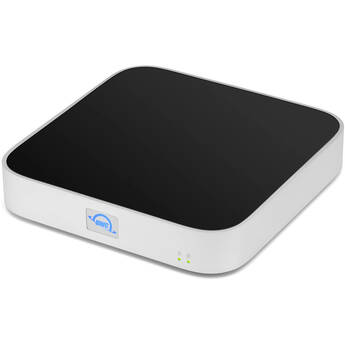
OWC 21TB miniStack STX & Thunderbolt Hub Xpansion (1TB SSD + 20TB HDD, Matte Silver)
- 21TB Storage Capacity
- 1TB PCIe 4.0 x4 M.2 2280 SSD
- 20TB 7200 rpm SATA 3.5" Hard Drive
- 3.5/2.5" Drive Bay | NVMe PCIe M.2 Slot
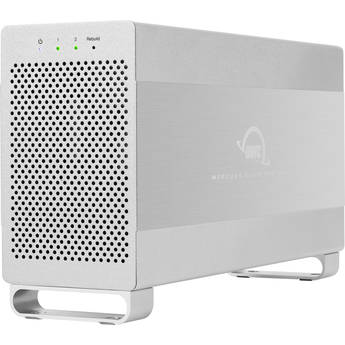
OWC Mercury Elite Pro Dual 24TB 2-Bay USB 3.2 Gen 1 RAID Array (2 x 12TB)
- 2 x 12TB 7200 rpm 3.5" Hard Drives
- 2 x SATA III 3.5" Drive Bays
- 1 x USB-B 3.2 Gen 1 | 1 x eSATA 6G
- RAID 0, 1, SPAN, and JBOD Modes
OWC ThunderBay Flex 8 8-Bay Thunderbolt 3 RAID 5 Enclosure (Hardware Controller)
- 8 x 3.5" / 2.5" SATA / SAS Drive Bays
- 4 x U.2 NVMe SSD Compatible Drive Bays
- 2 x Thunderbolt 3 Ports
- USB 3.2 Gen 2 | DisplayPort
Oyen Digital 20TB Fortis 5-Bay USB4 External Drive Array (5 x 4TB)
- 20TB Storage Capacity
- 5 x 4TB SATA III 3.5" HDDs
- 5 x 3.5" SATA III 6 Gb/s Drive Bays
- 1 x 40 Gb/s USB4 Interface
Oyen Digital Mobius 2C 32TB 2-Bay USB 3.2 Gen 2 RAID Array (2 x 16TB HDDs)
- 2 x 16TB 7200 rpm 3.5" Enterprise HDDs
- 2 x 3.5" Drive Bays
- 10 Gb/s USB-C 3.2 Gen 2 Interface
- 10 Gb/s USB-C Hub Port with 15W of Power
Lexar Professional Workflow Docking Station with Two 4TB SSDs
- Includes Docking Station
- Includes 2 x 4TB SSDs
- Six Total Lexar Accessory Bays
- 2 x 40 Gb/s Thunderbolt 4 Bays
OWC 10TB StudioStack Thunderbolt 5 Storage Hub (1 x 4TB NVMe SSD, 1 x 6TB HDD)
- 10TB Storage Capacity
- 1 x 4TB NVMe PCIe 4.0 M.2 SSD
- 1 x 6TB 7200 rpm SATA III 3.5" HDD
- 1 x Thunderbolt 5 Host Port
OWC Mercury Elite Pro Dual 2TB 2-Bay USB 3.2 Gen 2 SSD RAID Array with 3-Port Hub (2 x 1TB)
- 2 x 1TB SSD
- Dual Drive Bays
- USB 3.2 Gen 2 Interface
- RAID 0, 1, SPAN & JBOD
Rocstor Rocpro U33 Desktop 28TB 2-Bay USB-C RAID Array (2 x 14TB HDDs)
- 28TB Capacity
- 2 x 14TB 7200 rpm SATA III 3.5" HDDs
- 2 x 2.5/3.5" SATA III Drive Bays
- USB-C 3.2 Gen 2 Interface
OWC 22TB miniStack STX & Thunderbolt Hub Xpansion (2TB SSD + 20TB HDD, Matte Silver)
- 22TB Storage Capacity
- 2TB PCIe 4.0 x4 M.2 2280 SSD
- 20TB 7200 rpm SATA 3.5" Hard Drive
- 3.5/2.5" Drive Bay | NVMe PCIe M.2 Slot
OWC 12TB miniStack STX & Thunderbolt Hub Xpansion (4TB SSD + 8TB HDD, Matte Silver)
- 12TB Storage Capacity
- 4TB PCIe 3.0 x4 M.2 2280 SSD
- 8TB 7200 rpm SATA 3.5" Hard Drive
- 3.5/2.5" Drive Bay | NVMe PCIe M.2 Slot
HighPoint RocketStor 6542AW 8-Bay PCIe 4.0 x16 RAID Enclosure
- 8 x 2.5" U.2/U.3 NVMe Drive Bays
- CDFP Interface
- PCIe 4.0 x16 Host Bus Interface
- Data Transfers up to 32 GB/s (400 Gb/s)
OWC 18TB StudioStack Thunderbolt 5 Storage Hub (1 x 2TB NVMe SSD, 1 x 16TB HDD)
- 18TB Storage Capacity
- 1 x 2TB NVMe PCIe 4.0 M.2 SSD
- 1 x 16TB 7200 rpm SATA III 3.5" HDD
- 1 x Thunderbolt 5 Host Port
Rocstor Rocpro U33 Desktop 32TB 2-Bay USB-C RAID Array (2 x 16TB HDDs)
- 32TB Capacity
- 2 x 16TB 7200 rpm SATA III 3.5" HDDs
- 2 x 2.5/3.5" SATA III Drive Bays
- USB-C 3.2 Gen 2 Interface
OWC Mercury Elite Pro Quad 24TB 4-Bay USB-C 3.2 Gen 2 RAID Array (4 x 6TB)
- 4 x 6TB 7200 rpm SATA III 3.5" HDDs
- 4 x 3.5/2.5" SATA III Drive Bays
- USB-C 3.2 Gen 2 Interface
- Supports RAID 0, 1, 0+1, 4, 5, and JBOD
QNAP 40TB TR-002 2-Bay USB 3.2 Gen 2 RAID Expansion Enclosure Kit (2 x 20TB)
- 40TB Storage Capacity
- 2 x 20TB 7200 rpm SATA III 3.5" NAS HDDs
- 2 x 3.5/2.5" SATA III Drive Bays
- 1 x USB-C 3.2 Gen 2 Port
OWC Mercury Elite Pro Dual 32TB 2-Bay USB 3.2 Gen 1 RAID Array (2 x 16TB)
- 2 x 16TB 7200 rpm 3.5" Hard Drives
- 2 x SATA III 3.5" Drive Bays
- 1 x USB-B 3.2 Gen 1 | 1 x eSATA 6G
- RAID 0, 1, SPAN, and JBOD Modes
OWC 16TB miniStack STX & Thunderbolt Hub Xpansion (4TB SSD + 12TB HDD, Matte Silver)
- 16TB Storage Capacity
- 4TB PCIe 4.0 x4 M.2 2280 SSD
- 12TB 7200 rpm SATA 3.5" Hard Drive
- 3.5/2.5" Drive Bay | NVMe PCIe M.2 Slot
OWC Gemini 2TB 2-Bay Thunderbolt 3 Raid Array (2 x 1TB)
- 2TB Storage Capacity
- 2 x 1TB 2.5" SATA III SSDs
- 2 x Thunderbolt 3 | 2 x USB-A 3.2 Gen 2
- 1 x 2.5 GbE LAN Port
Oyen Digital 30TB Fortis 5-Bay USB4 External Drive Array (5 x 6TB)
- 30TB Storage Capacity
- 5 x 6TB SATA III 3.5" HDDs
- 5 x 3.5" SATA III 6 Gb/s Drive Bays
- 1 x 40 Gb/s USB4 Interface
Areca 12-Bay 12 Gb/s SAS Expander JBOD Tower Enclosure
- 12 x 2.5/3.5" Drive Bays
- Up to 12 Gb/s SAS Drive Transfer Speed
- Up to 6 Gb/s SATA Drive Transfer Speed
- 2 x SFF-8644 Host-In Ports
Oyen Digital Mobius 2C 40TB 2-Bay USB 3.2 Gen 2 RAID Array (2 x 20TB HDDs)
- 2 x 20TB 7200 rpm 3.5" Enterprise HDDs
- 2 x 3.5" Drive Bays
- 10 Gb/s USB-C 3.2 Gen 2 Interface
- 10 Gb/s USB-C Hub Port with 15W of Power
Glyph Technologies 32TB Blackbox PRO RAID 2-Bay USB-C 3.2 Gen 2 RAID Array (2 x 16TB)
- 2 x 16TB 7200 rpm Enterprise 3.5" HDDs
- 2 x 3.5" SATA III Drive Bays
- 10 Gb/s USB-C 3.2 Gen 2 Host Connection
- Supports RAID 0, 1, JBOD, and SPAN
OWC Express 4M2 Ultra 4TB Four-Slot Thunderbolt 5 External Storage Enclosure with SoftRAID (4 x 1TB)
- 4TB Storage Capacity
- 4 x 1TB PCIe 4.0 NVMe M.2 2280 SSDs
- Supports M.2 2242 and 2280 Drives
- Dual 80 Gb/s Thunderbolt 5 Ports
WD My Book Duo 36TB 2-Bay USB-C 3.2 Gen 1 RAID Array (2 x 18TB)
- 2 x 18TB WD Red Hard Drives
- 2 x 3.5" SATA Drive Bays
- 1 x USB-C 3.2 Gen 1 Host Port
- 2 x USB-A 3.2 Gen 1 Hub
OWC 20TB miniStack STX & Thunderbolt Hub Xpansion (4TB SSD + 16TB HDD, Matte Silver)
- 20TB Storage Capacity
- 4TB PCIe 3.0 x4 M.2 2280 SSD
- 16TB 7200 rpm SATA 3.5" Hard Drive
- 3.5/2.5" Drive Bay | NVMe PCIe M.2 Slot
OWC 16TB StudioStack Thunderbolt 5 Storage Hub (1 x 4TB NVMe SSD, 1 x 12TB HDD)
- 16TB Storage Capacity
- 1 x 4TB NVMe PCIe 4.0 M.2 SSD
- 1 x 12TB 7200 rpm SATA III 3.5" HDD
- 1 x Thunderbolt 5 Host Port
Oyen Digital Fortis 5C 40TB 5-Bay USB 3.2 Gen 2 External Drive Array (5 x 8TB)
- 5 x 8TB 3.5" 7200 rpm Hard Drives
- 5 x 2.5/3.5" Drive Bays
- 1 x USB-C 3.2 Gen 2 Port
- Preformatted exFAT for Windows/Mac/Linux
Everything You Need to Know about RAID Hard Drives (RAID Arrays)
Faster performance, data protection, and duplication of drives are the primary benefits of RAID arrays. They help protect individuals and companies from losing important data in the event of operating-system or hard-drive malfunction. A number of hard drive array accessories further guard against damage to your system. Popular accessories include hard drive enclosures and docks and storage cases for transportation.
What Is a RAID Array?
RAID stands for redundant array of independent disks, but not every RAID array level provides redundancy. Three forms of RAIDs protect hard drive contents:
- Hardware-based RAID: A physical controller manages the array; the array may or may not be part of the motherboard.
- Software-based RAID: Hardware system resources operate the controllers.
- Firmware or driver-based RAID: The firmware controller chip is part of the motherboard, and the CPU manages the functions.
Use internal hard drive cages to protect hard drives from jostling and from damage due to overheating during failure.
How Does a RAID Array Work?
RAID arrays distribute data across multiple disks, allowing processes or operations to evenly overlap. Using multiple disks increases mean time between failure, thereby increasing fault tolerance. Hard drive arrays trick an operating system into believing it's operating on one logical hard disk. Arrays can perform disk striping, mirroring, or a combination of both depending on the level of RAID hard drives being implemented.
Different Types of RAID Arrays
Some RAID systems are more useful than others because of their specific benefits and features. The five main levels of arrays commonly used in business are:
- RAID 0: Minimum two disks, striping, no redundancy, not for critical systems
- RAID 1: Minimum two disks, mirroring, redundancy
- RAID 5: Minimum three disks, redundancy, for read-oriented databases
- RAID 6: All functions of RAID 5, can operate with two failed discs, difficult to set up RAID controller
- RAID 10: Minimum four disks, striping and mirroring, best performance and redundancy, most expensive
Most types are available for both hardware and software, and finding a RAID system for Mac is just as easy as finding for one for a PC.
How to Choose a RAID Array
To choose a RAID array for personal or business use, keep the following information in mind. If critical drive recovery is important to your level of data, RAID 0 or 1 isn't going to provide required functions. If you have a read-oriented database and need a distributed parity, RAID 5 is best. RAID 6 and 10 are more suitable options for large businesses because they each work well for critical drives.
Find a wide range of RAID arrays at B&H Photo and Video and use them alongside wireless storage devices to extend company options for data protection and recovery after critical failures.