Professional Video On Camera Monitors

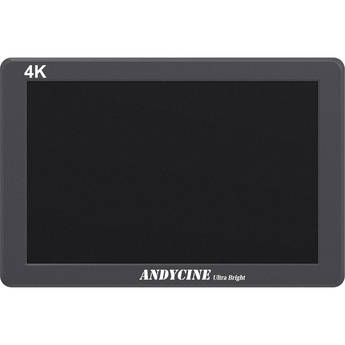
ANDYCINE X7 7" Ultra-Bright 4K HDMI Monitor
- 7" 1920 x 1200 HDMI In/Out Monitor
- Histogram/Focus Peaking/Zebra
- 2200 cd/m² Brightness / 1200:1 Contrast
- Includes Removable L-Series Plate
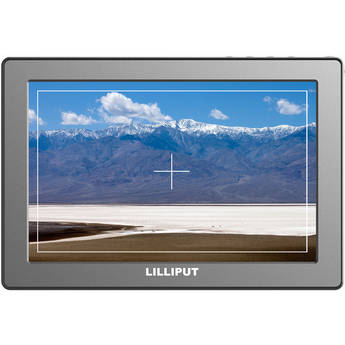
Avtec XFD070 7" On-Camera Monitor
- 7" 1920 x 1080 IPS LCD Panel
- HDMI Input and Output
- UHD 4K Resolution Input Support
- False Color and Zebras
FeelWorld LUT6 Monitor with ANP97 Battery and AMC5 Bag Kit
- 6" Bright HDMI 4K Touchscreen Monitor
- L-Series 6600mAh Li-Ion Battery
- Field Monitor Carry Case
- 1080p60 Resolution
FeelWorld 10.1" 4K Ultrabright Touchscreen HDMI Monitor
- 10.1" 1920 x 1200 IPS LCD Monitor
- HDMI Input and Output
- Accepts SD, HD, and UHD 4K Video
- 2000 cd/m² Brightness
FeelWorld L7 7" 3D LUT 4K HDMI Monitor with Metal Housing
- Rugged Metal Housing
- 7" 1920 x 1200 IPS LCD Monitor
- HDMI Input/Output
- 2200 cd/m² Brightness, Touchscreen
ANDYCINE C6R 6" Touchscreen On-Camera 4K HDMI Recorder Monitor
- 6" 1920 x 1080 Touchscreen, Updated UI
- 4K60 HDMI Input and Loop Output
- USB Recording with 3D LUTs Applied
- 450 cd/m² Brightness
Lilliput 665/S/P 7" On-Camera HDMI/SDI Monitor
- 7" 1024x600 LCD Display
- SDI, HDMI, Component, & Composite Inputs
- HD and SD Resolution Support
- 250cd/m² Brightness
Lilliput 969A/O/P 9.7" Field Monitor
- IPS Display with 178° Viewing Angle
- 1024 x 768 Resolution
- Supports up to 1920 x 1080 Signals
- Dual HDMI Inputs & an HDMI Output
Lilliput HT7S 7" On-Camera Control Monitor with LANC Camera Control
- 1920 x 1200 Native Touchscreen
- Supports up to DCI 4K Input
- 2000 cd/m² Brightness, HDR Support
- 1200:1 Contrast Ratio, 16:10 Aspect
Elvid 7" RigVision Lightweight On-Camera Monitor
- Backlit IPS Monitor with Shutter Release
- 1280 x 800 Resolution
- 800:1 Contrast Ratio
- HDMI & Composite Inputs
ANDYCINE C6 6" HDMI Ultrabright Touchscreen Monitor
- 6" 1920 x 1200 Touchscreen
- Ultrabright at 2600 cd/m²
- Supports up to DCI 4K Input via HDMI
- HDMI Input and HDMI Loop Output
Lilliput Q5 5.5" Full HD On-Camera Monitor
- 5.5" 1920 x 1080 SDI/HDMI Monitor
- 450 cd/m² Brightness
- 1000:1 Contrast Ratio
- Built-In SDI/HDMI Cross Conversion
Lilliput 969A/O/P 9.7" Field Monitor & Soft Padded Pouch Kit
- 969A/O/P 9.7" Field Monitor
- PortaBrace Soft Padded Pouch
- Supports Resolutions up to 1920 x 1080
- Dual HDMI Inputs, HDMI Output
Shimbol M7 7" Touchscreen 4K HDMI/3G-SDI Video Monitor with 3D LUT Output
- 7" HDMI 1920 x 1080 Touchscreen
- Up to 4K30 Video Input via HDMI
- 2000 cd/m² Brightness, 3D LUT Support
- 3G-SDI & HDMI Input/Output
ANDYCINE X7S 7" Ultra-Bright 3G-SDI/HDMI 4K Monitor
- 7" 1920 x 1200 3G-SDI & HDMI Monitor
- Histogram / Focus Peaking / Zebra
- 2200 cd/m² Brightness / 1200:1 Contrast
- Includes Removable L-Series Plate
ANDYCINE C7S 7" 3G-SDI/HDMI Ultra-Bright Touchscreen Monitor with 3D LUTs & Waveform
- 7" 3G-SDI & HDMI 1920 x 1080 Touchscreen
- 3D LUT Import via SD Card
- 1200:1 Contrast, 2200 cd/m² Brightness
- Built-In, Dual L-Series Battery Plate
ANDYCINE C6S 6" 3G-SDI/HDMI Ultrabright Touchscreen Monitor
- 6" 1920 x 1200 Touchscreen
- Ultrabright at 2600 cd/m²
- Supports up to DCI 4K Input via HDMI
- 3G-SDI and HDMI Inputs, Loop Outputs
FeelWorld LUT6S 6" 2600 cd/m² 4K HDMI/3G-SDI Touchscreen Monitor
- Outdoor Visible 2600 cd/m² Brightness
- Compact and Slim with 1080p Touchscreen
- 4K HDMI/3G-SDI Input and Loop Output
- Built-In HDR and DeLog 3D LUTs
Desview OL7S 7" OLED High-Bright Touchscreen HDMI/3G-SDI On-Camera Monitor
- 7" 1920 x 1080 Touchscreen OLED Display
- HDMI 2.0 & 3G-SDI In/Out up to DCI 4K60
- 1200 cd/m² Brightness
- 100,000:1 Contrast, 10-Bit Color
Lilliput TM-1018/O/P 10.1" Touchscreen LED Backlit Camera Monitor
- 10.1" IPS Screen, 1280 x 800
- 400 cd/m² Brightness, 800:1 Contrast
- 170° Viewing Angle
- HDMI/VGA/AV Inputs
FeelWorld H5 Monitor with ANP97 Battery and AMC5 Bag Kit
- 5.5" 1920 x 1080 IPS Touchscreen Monitor
- L-Series 6600mAh Li-Ion Battery, Case
- HDMI 2.0 and 12G-SDI Input/Output
- 1200 cd/m² Brightness, 1000:1 Contrast
Elvid 7" RigVision On-Camera Monitor with Battery & Charger Kit
- 7" RigVision On-Camera Monitor
- Watson LP-E6 2000mAh Li-Ion Battery
- Compact AC/DC Charger with Foldout Plug
- 1280 x 800 Resolution
Dot Line SWIVI External Monitor for DSLR
- Large External 5.6" Diagonal LCD Screen
- For DSLR With HDMI Port & Live-View
- Screen Swings Out Up to 180 Degrees
- Screen Tilts Up to 270 Degrees
Lilliput 969A/S 9.7" Field Monitor
- IPS Display with 178° Viewing Angle
- 1024 x 768 Resolution
- Supports up to 1920 x 1080 Signals
- 3G-SDI, HDMI & Composite BNC I/O
Lilliput 663/S2 7" LCD On-Camera 3G-SDI / HDMI Monitor
- 7" 1280 x 800 IPS LCD Display
- 800:1 Contrast Ratio
- HDMI, Component, SDI, Composite Inputs
- HDMI Loop Output
Elvid RigVision 7" On-Camera Monitor with Battery, Articulating Arm & HDMI Cable Kit
- RigVision 7" Monitor
- NP-770 Type Lithium-Ion Battery
- 11" Articulating Arm
- 3' HDMI to Micro-HDMI Cable
Lilliput 969A/S 9.7" Field Monitor with Pouch Kit
- 969A/S 9.7" Field Monitor
- Soft Padded Pouch
- Supports up to 1920 x 1080 Signals
- 3G-SDI, HDMI & Composite BNC I/O
Selecting External Camera Screens (On Camera Monitors)
Photographers no longer have to rely upon tiny LCD screens to preview photos, and videographers can catch issues immediately and re-shoot scenes, thanks to camera monitors. On-camera monitors can be attached directly to the camera or video equipment, or you can use mounting brackets for additional security. Small monitors with HDMI input are ideal for DSLR cameras, while larger production monitors work well with video and camcorders.
What Are External Camera Screens and How Are They Used?
On-Camera monitors are screens used with cameras or camcorders for a better view of focus areas and the final object. To secure them, you can use monitor mounts that stabilize the additional hardware. HD monitors with HDMI connections are ideal for newer DSLR cameras and GoPro equipment as they require only one connection for both audio and video. Because most on-camera monitors have their own battery, they work separately from other systems and don‘t drain the power of the device. With multiple settings, including brightness and contrast, the monitor will show brighter results than the on-board LCD. The brighter results help display colors as they’ll be in the final product. If color or lighting is off, you can adjust softboxes, LED lighting, and other production equipment to produce a better photo or video.
How to Choose a Camera Monitor
There are several things to consider when choosing camera monitors for DSLR cameras. Have the camera or camcorder model information available when searching for an on-camera monitor. Pay special attention to input and output sources, to ensure that you purchase the correct charging and connection cords. Input and output sources are especially important to video playback and sound quality. Before making a purchase, research the following areas, to ensure the best quality addition to your preexisting equipment.
- Size: Larger monitors make it easier to see defects in the shot
- Resolution: High-resolution creates sharper image detail
- DPI: Dots-per-inch, measurement of how many dots it takes to produce an image
- Connections: Check if the monitor has HDMI, AV, USB, or a combination
- Additional features: Any composition aids that may be available
Special features for on-camera monitors may also include overlays, for video and photo editing. HD monitors with HDMI hookups offer benefits as well; the major benefit is being able to send audio and video with one cable. To do this, monitors with HDMI input must also have speakers; this is an excellent feature for shooting music videos. Adding professional video monitor hoods will help ensure you see the image playback without reflection from surrounding light sources.
B&H Photo and Video carries monitor mounting brackets, on-board monitors, and HDMI and USB cable hookups. Browse through tripods, camera lenses, filters, replacement batteries, and other camera and video accessories to find everything you need for your next shoot.