Avid

There's no denying that as of 2025, Avid's venerable DAW program Pro Tools remains the de facto industry standard for professional audio productions. Increasingly, it has also become a popular choice for amateurs and small projects as well. With a wide range of project sizes, types, and channel counts being needed by engineers and producers big and small, it can be hard to determine which version of Pro Tools will best serve your needs.
Avid Pro Tools Artist, Studio, and Ultimate editions
That's where B&H comes in. In this article we

Welcome to Filmmaking 101, where we offer some tips on how to go about creating your movie masterpiece. Read on to discover suggestions for your pre-production, production, and post-production phases.
Pre-Production
Scriptwriting
You have your idea for an arthouse masterpiece or an action-based blockbuster; now how do you translate that into a script―the backbone of your production? You can use MS Word, Google Docs, or another document program. But using dedicated screenwriting software provides the standard formatting, outline tools,

Anyone paying attention to the pro audio world probably knows that since April 2022, Avid has stopped offering new perpetual license purchases for its Pro Tools products and has moved into a fully subscription-based business model. But fear not! B&H still has perpetual licenses in stock, and now is the time to grab one if the perpetual model is a better fit for you. Get them while they’re hot, because stock will not last forever, and when they’re gone, they’ll be gone for good.
So, why buy a

So, you’ve recorded a killer podcasting session but aren’t sure how to take it from raw to ready? We get it—there is a lot to take in. But editing is undoubtedly one of the most crucial aspects of the production process when making a podcast. We know editing a podcast can be intimidating and overwhelming at first, and that’s why B&H is here to run through some of the basics and get you producing polished, engaging, professional-sounding content.
In this article, we’ll walk through the essential techniques of trimming, adding effects
by Julius Richmond ·Posted
Back in the days when dinosaurs roamed the earth, you had to buy specific audio interfaces to run Pro Tools, or else you were out of luck: without the hardware, Pro Tools was nothing but dead space on a hard drive. Without Pro Tools, you’d have a rough time getting work in the audio industry.
The original MBOX rose to prominence against this backdrop of proprietary tech. Whether or not it sounded good didn’t really matter; many of my peers simply got one as a dongle for home editing work in Pro Tools.
Twenty years later, the times have become

0 Views ·Posted
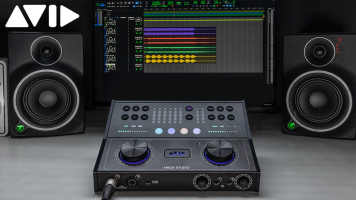
Avid is shaking up the personal and project studio market with the release of its new MBOX Studio Desktop, a 21 x 22 USB-C interface offering a wealth of flexible input and output options, seamless integration with the included Pro Tools Studio software subscription, and a powerful plug-in package. Well suited to a wide range of studio applications, from making beats and tracking guitars and vocals to mixing and podcasting duties, the MBOX
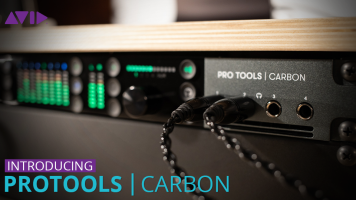
Fusing extreme onboard processing, uncompromising sonic performance, and industry-standard Pro Tools software, Avid Pro Tools | Carbon gives artists, bands, producers, and engineers a unified and premium hybrid production system for creating music with a fluid, professional workflow, supercharged plug-in power, and all the I/O needed to run an impressive session.

Everything about the new Mac Pro tower makes a commanding statement, sending a clear message that Apple is ready to dominate the professional market once again. Not only is it engineered for ultimate performance, but its modular design empowers the demanding engineer with the freedom to customize and expand the Mac Pro effortlessly according to their unique needs. Whether you’re scoring soundtracks, producing chart-topping hits, or mixing on the dub stage for a feature film, the
by Staff Writer ·Posted
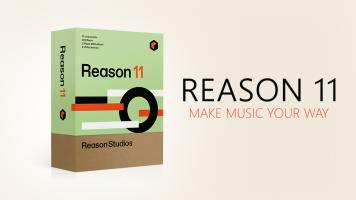
Look, we don’t need to tell you about the legendary DAW Reason—it’s one of the oldest, most reliable, and most trustworthy tools for electronic music production. You probably know about its powerful sequencer, rack effects, and excellent soft-synths. So, if we were to announce a new version of Reason 11, we could see why it might not elicit excitement. What is there be to announce? New soft-synths? A higher-quality mix engine? An overhaul to Re-Wire behavior, so that it might better
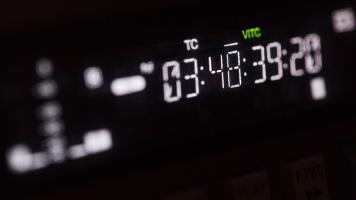
Timecode is not a movie from 1994 starring Jean-Claude Van Damme and his right or left foot. No, that’s Timecop. But I bet you Timecop was shot with timecode. Why? Because timecode is the standard for keeping things organized on big film shoots—and also, little film shoots.
See, three cameras and one audio recorder don’t automatically coordinate with each other. Let’s say some neophyte labels their video file “day 1 scene 1 take 1,” while some other noob goes with “sc1tk1-d1” on the audio recorder’s file. What kind of fresh hell does this make

Congratulations! Your project includes a scene using chroma key and you've just recorded your green screen footage. Or did you use blue screen? Or maybe even a white background? Your next challenge is finding the right software tools to edit your footage in post-production so your final scene doesn't look like the weatherperson on public access TV. The basic process is to import your green screen footage into software with chroma key tools, to apply a key (remove the green) to the background, leaving your subject completely free of the green

Whether you do it for a living or just for fun, podcasting shouldn’t require a truckload of gear. If producing podcasts is something you do regularly, whenever you darn well please, or only in dreams, you should be able to achieve great results with a short list of wisely chosen essentials. So, let’s talk essentials, those things that qualify for a podcaster’s everyday carry kit.
The Microphone
Until some brilliantly crazy individual invents a throat-to-USB interface for connecting your vocal cords directly to a computer, you’ll have to rely
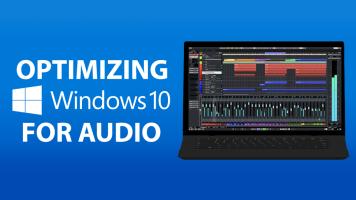
For in-the-know musicians, engineers, and producers, going Windows for your production setup is the best-kept secret in town for two big reasons: price and power. But, with great power comes great responsibility.
Often, people go out and buy Windows machines that are well within their DAW’s system requirements, only to come home and find that they’re experiencing lackluster performance. The problem is that Windows is optimized for a wide variety of uses out of the box, and has some default settings that don’t favor the kind of processing power
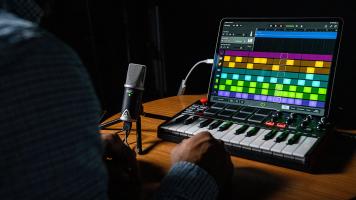
Not long ago, you needed a computer to provide sufficient processing power, graphics prowess, and connectivity to meet the demands of digital pro audio production tasks. Thanks to the robust performance, captivating display, and long battery life of Apple’s current iPad Pro, producing anything from polished podcasts to complex multi-track sessions on a tablet is now a reality within reach. The iPad Pro can supercharge your mobile recording

Short films—gotta love them! If you’re just starting out in the world of sound design, these will be your bread and butter until you get noticed by the big, gatekeeping fish. They usually don’t pay much, but they’re incredibly rewarding. Why? Because if you make them sound good enough, the director you’re working with has a better chance of scoring a feature; and if that director is loyal, you have a chance of getting hired for that higher-paying project.
One way you can make a film sound better is with judicious employment of sound design—