Hard Drive Enclosures & Docks

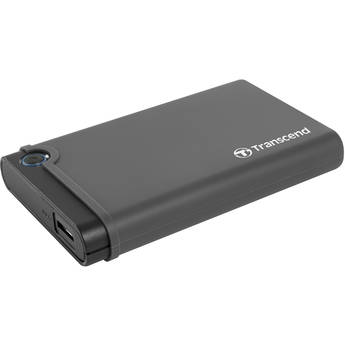
Transcend 2.5" SSD/HDD Enclosure Kit
- Holds One 2.5" Storage Drive
- Converts Internal Drive to External Use
- SATA to USB 3.0 Interfaces
- Spacer, Screwdriver, and Screws Included
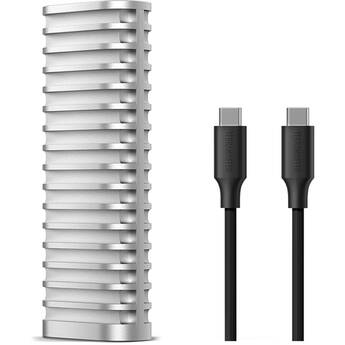
TerraMaster D1 SSD 1-Bay M.2 USB-C 3.2 Gen 2 Enclosure
- 1 x PCIe NVMe M.2 2280 Drive Bay
- 1 x 10 Gb/s USB-C 3.2 Gen 2 Port
- Up to 8TB of Storage
- Read Speeds up to 1020 Mb/s
Sabrent Rocket RGB USB-C M.2 SATA/NVMe SSD Enclosure (Special Edition)
- Supports One M.2 NVMe or SATA SSD
- Supports M.2 2230 and 2242 Form Factors
- Supports M.2 2260 and 2280 Form Factors
- 1 x 20 Gb/s USB-C 3.2 Gen 2x2 Port
Satechi Mini NVMe SSD Enclosure
- 1 x NVMe M.2 2230 SSD Slot
- 1 x USB-C 3.2 Gen 2 Interface
- Write Protection Switch
- Magnetic Tempered Glass Cover
StarTech USB 3.0 to SATA Hard Drive Docking Station for 2.5"/3.5" HDD (Black)
- USB 3.0 (5 Gb/s) Interface
- SATA II (3 Gb/s) Interface
- SATA 2.5"/3.5" Drive Size
- ASMedia ASM1053 Chipset ID
StarTech USB-C 3.2 Gen 2 to M.2 SSD Enclosure
- M.2 NVMe SSD Drive Bay
- Fits 2230, 2242, 2260, 2280 M.2 Drives
- 1 x USB-C 3.2 Gen 2 Port
- PCIe 3.0 | SATA
Sabrent Thunderbolt 3 to M.2 NVMe SSD Tool-Free Enclosure
- Thunderbolt 3 Interface
- M-Key M.2 2280 Size Support
- Plug and Play Design
- Aluminum Construction
Satechi USB4 NVMe SSD Pro Enclosure
- 1 x NVMe M.2 SSD Slot
- Supports M.2 2230, 2242, and 2280 SSDs
- 40 Gb/s USB4 Interface
- Up to 3840 MB/s Data Transfer Speed
Patriot VXD Portable RGB M.2 SSD Enclosure
- For 2230, 2242, 2260, & 2280 M.2 Drives
- PCIe 3.0 x4 Drive Interface
- Up to 1000 MB/s Read & Write Speeds
- USB-C 3.2 Gen 2 External Interface
ASUS Republic of Gamers Strix Arion M.2 NVMe SSD Enclosure
- 1 x M.2 2280 NVMe PCIe Slot
- USB 3.2 Gen 2 Interface (10 Gb/s)
- USB Type-C Port
- Aura Sync Lighting
Atech Flash Technology Blackjet DX-1AT Atomos 3-in-1 Reader Module
- For TX-2DS and TX-4DS Cinema Docks
- Supports Master Caddy II, III & SSDmini
- Up to 560 MB/s Read Speeds
- Rugged Metal Enclosure
Sabrent USB 3.0 4-Bay 2.5" HDD/SSD Docking Station with Fan
- Holds Four 2.5" HDDs/SSDs
- Read/Write Four Drives Simultaneously
- USB 3.0 Interface
- Backward Compatible with USB 2.0/1.1
Satechi USB4 Slim NVMe SSD Enclosure
- 1 x NVMe M.2 Drive Bay
- Supports M.2 2280, 2260, 2242, and 2230
- 1 x 40 Gb/s USB4 Host Port
- Data Transfers up to 3840 MB/s
Rocstor Rocpro D91 USB-C 3.1 Gen 2 External Hard Drive Enclosure
- 10 GB/s Technology, USB 3.1 Gen 2
- USB-C Ports, Enclosure Only
- Speeds up to 10,000 Mb/s
- Hot-Swap Tray
StarTech Universal USB 3.0 Docking Station for Bare Hard Drives
- 1 x SATA & 1 x PATA (IDE) Drive Bays
- Supports 3.5 & 2.5" HDDs & SSDs
- 1 x USB 3.0 Port
- Power & Drive Activity LED Indicators
Wavlink USB4 PCIe NVMe Dual SSD Enclosure
- 2 x M.2 M-Key Slots
- Supports M.2 2280, 2260, 2242, and 2230
- 1 x 40 Gb/s USB4 Host Port
- 1 x USB-C Power Port
HYPER HyperDrive USB4 NVMe SSD Enclosure
- USB-C (USB4) Host Connection
- 1 x M.2 NVMe PCIe SSD
- Max 4TB Storage Capacity
- Easy Snap-In Installation
TerraMaster D1 SSD PRO 1-Bay M.2 USB4 V2 Enclosure
- 1 x PCIe NVMe M.2 2280 Drive Bay
- 1 x 80 Gb/s USB4 Port
- Up to 8TB of Storage
- Read Speeds up to 7060 Mb/s
CineRAID CR-H116 USB 3.1 Gen 1 Hard Drive Dock
- 1 x 2.5" or 3.5" SATA I/II/III Drive
- Supports Hard Drive or SSD
- Tray-Less, Top-Loading Drive Dock
- USB 3.0 Connection
StarTech M.2 SATA SSD Enclosure
- Use Your M.2 SATA SSD Externally
- Supports 30, 42, 60, and 80mm M.2 Drives
- Micro-USB 3.1 Gen 2 Interface
- 1,000,0000 Hours MTBF
EZQuest Magnetic USB-C M.2 NVMe SSD Enclosure
- Fits an M.2 2230 NVMe PCIe SSD
- USB 3.2 Gen 2 Host Interface
- Up to 10 Gb/s Data Transfer Speeds
- MagSafe Compatible
Sabrent Rocket RGB USB-C M.2 SATA/NVMe SSD Enclosure
- Supports One M.2 NVMe or SATA SSD
- Supports M.2 2230 and 2242 Form Factors
- Supports M.2 2260 and 2280 Form Factors
- 1 x 20 Gb/s USB-C 3.2 Gen 2x2 Port
StarTech USB 3.1 Drive Docking Station for 2.5" and 3.5" SATA Drives
- 1 x 2.5"/3.5" SATA III Drive Bay
- 1 x 10 Gb/s USB 3.1 Type-B Port
- 1 x 6 Gb/s eSATA Port
- UASP & TRIM Support
Wavlink USB4 PCIe NVMe SSD Enclosure
- 1 x M.2 M-Key/B+M Key Slot
- Supports M.2 2280, 2260, 2242, and 2230
- 1 x 40 Gb/s USB4 Host Port
- Sequential Reads of up to 3800 MB/s
Icy Dock ExpressCage 6-Bay 2.5" SAS/SATA Drive Cage for 5.25" Bay
- Mounts Six 2.5" Drives into 5.25" Bay
- Supports 5 to 9.5mm Tall Drives
- SAS/SATA III 6 Gb/s Interface
- Two 40mm Cooling Fans
Atech Flash Technology Blackjet TX-2DS 2-Bay Thunderbolt 3 Docking System
- 2 x DX Module Slots
- Dual 40 Gb/sThunderbolt 3 Ports
- Supports One 4K or 5K Display
- Rugged Metal Enclosure
Satechi DotDisk 80 Gb/s SSD Enclosure (Space Black)
- 1 x 80 Gb/s USB4 V2 Interface
- 1 x NVMe PCIe 4.0 M.2 2280 SSD Slot
- Supports Data Transfers up to 6415 MB/s
- Built-in Micro Cooling Fan
BLACKJET TX-2DS 2-Bay Thunderbolt 3 Docking System Rack Mount Bundle
Learning About External Hard Drive Enclosures and Docks
Put your spare hard drives to good use by converting them into external storage drives, with hard drive enclosures and docks. Whether you're reclaiming internal hard drives from old PCs or buying new ones to use as external drives, you need enclosures and docks to connect them to your computer. The cases link the interfaces used by storage drives with the USB ports of computers. They also serve as protective shells for fragile hard disk drives (HDD).
What's the Difference Between Hard Drive Docks and Enclosures?
An enclosure encompasses a hard drive completely. Some enclosures hold single drives while others have multiple bays for two or more hard drives. A dock has slots rather than bays. Since a hard drive goes into a dock vertically, part of it remains exposed. This design makes hot-swapping drives easier. To remove the drive in an HDD enclosure, you have to first open the casing.
How to Choose the Right HDD Enclosure and Dock
Key factors to consider include material used, hard drive size and interface, and connection type. Most docks and enclosures are metal, rubber, or plastic. Metal units are very durable, while rubber ones offer excellent protection from shock and impact. Aluminum is a common choice that's both strong and lightweight. Some enclosures and docks can only accommodate the 2.5-inch drives commonly used by laptops, while others can fit desktop-class, 3.5-inch drives. To fit a 2.5-inch drive in a bay or slot made for 3.5-inch units, you'll need an internal hard drive cage. This converter bracket makes 2.5-inch hard disk and solid-state drives (SSDs) just as big as 3.5-inch HDDs.
You should also make sure the chosen enclosure or dock supports your drive's interface. SATA interfaces are the most common, but they have different subtypes (SATA I, II, and III). Choosing a SATA III casing is advisable, as it'll be backward-compatible with the older standards. Most docks and enclosures connect to computers via USB ports. Like SATA, there are multiple generations of USB (1.1, 2.0, 3.0, and 3.1). For fast transfer speeds, choose a casing with one or more USB 3.0 ports. Some have USB-C ports. These are smaller, reversible USB ports, increasingly found on computers and mobile devices. An Apple Thunderbolt enclosure can connect to the ultra-fast Thunderbolt ports found on high-end computers. While Thunderbolt 1 and 2 use the Apple Mini DisplayPort connector, Thunderbolt 3 employs the widely adopted USB-C connector.
What's in a Hard Drive Enclosure Kit?
This package contains everything you need to install an internal hard drive in an enclosure. In addition to the protective case, the kit includes a USB drive adapter cable and SATA adapter. Some manufacturers also provide mounting screws and screwdrivers.
Reuse old hard drives by placing them in hard drive enclosures and hard drive docking stations. Find a wide selection of RAID enclosures and SSD enclosures among B&H Photo and Video's extensive inventory of external and internal hard drive accessories.