UPS Power Backup

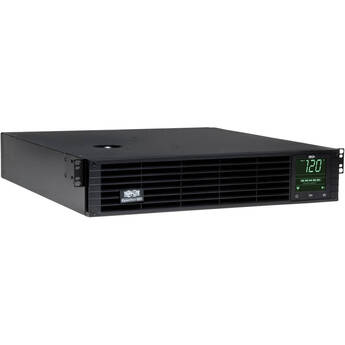
Tripp Lite SM3000RMXLNTAA SmartPro Sine Wave UPS
- 3000VA Power | 2880W
- 8 x NEMA 5-15/20R
- 1 x NEMA L5-30R Outlet
- 8 x Battery and Surge Protected Outlets
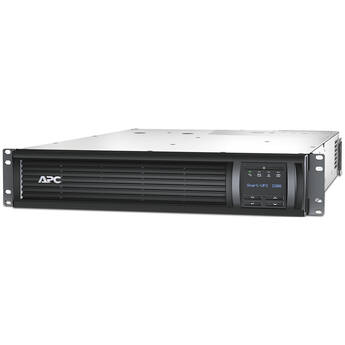
APC SMT2200R2X167 Smart-UPS Backup
- 10 x NEMA 5-15R Outlets
- 1920W / 2200VA Maximum Power
- 1366 Joules Surge Energy Rating
- Available SmartSlot
Minuteman Endurance Lithium Online UPS (1kVA/900W)
Tripp Lite SmartPro 10-Outlet 2U Rack UPS (3000VA / 3000W)
- 3000VA / 3000W Power Output
- 2U Rack Mount Orientation
- Non-Rack Tower Configuration with Stand
- Pure Sine Wave & Filtered Power
CyberPower PR3000RTXL2UACN Smart App Sinewave UPS Rack/Tower 9-Outlet UPS System (Pre-Installed Card for Remote Management, Standard Battery)
- 3000VA Power | 3000W
- 8 x NEMA 5-20R | 1 x NEMA 5-30R Outlets
- 9 x Battery & Surge Protected Outlets
- Rack/Tower Form Factor
Middle Atlantic NEXSYS 2000VA UPS Backup
- Line Interactive Topology
- 8 x NEMA 5-20R Outlets
- 2000VA/1800W Capacity
- 120 VAC Input
VERTIV Liebert GXT5-3000LVRT2UXL UPS
- Output: 2700W / 3000 VA
- Input: 60-150V at 50/60 Hz ±10 Hz
- 6 x NEMA 5-20R Battery & Surge Outlets
- 1 x NEMA L5-30R Battery & Surge Outlet
CyberPower OL3000RTXL2UHVN Smart App Online UPS
- Output: 3000VA / 2700W @ 50/60 Hz
- Input: 120-280 VAC @ 40-70 Hz
- 2 x NEMA L6-20R | 1 x NEMA L6-30R
- 3 x Battery & Surge Protected Outlets
APC Smart-UPS X 2200VA Rack/Tower LCD 200-240V (Black)
- 1980W / 2200VA Output
- 208V Input
- SmartSlot, USB Port
- LCD Interface
SURGEX UPS Standalone UPS-1000-OL and Vertical Series+ Smart PDU 16-Outlet Bundle
- 1000VA Capacity
- RS-232 Communication Interface
- Extended Runtimes of up to 18 Hours
- Hot-Swappable Battery Trays
Minuteman Encompass RTXL Online UPS with SNMP-NV6 Card (2kVA/1800W)
APC Smart-UPS X Uninterruptible Power Supply with Network Card
- Output: 3000 VA / 2700W
- Input: 140-280 VAC @ 50/60 Hz
- 2 x IEC Jumpers (Battery Backup)
- 8 x IEC 320 C13 (Battery Backup)
VERTIV Liebert GXT5 3KL630RT2UXL UPS Rack Tower L6-30P Input
- Output: 3000VA / 3000W
- Input: 208 VAC at 70 Hz
- 1 x NEMA L6-30P Input
- 2 x NEMA L6-15R
VERTIV Liebert GXT5 UPS 3000VA Online Rack Tower
- Output: 3000VA / 3000W
- Input: 208 VAC at 60 Hz
- 1 x NEMA L6-20P Input
- 2 x NEMA L6-15R
CyberPower PRL3000RT2UC Smart App Sinewave UPS
- Output: 3000VA / 3000W
- Input: 100-120 VAC (Range: 70-155 VAC)
- 8 x NEMA 5-20R | 1 x NEMA L5-30R
- 9 x Battery/Surge & 4 x Critical Outlets
CyberPower PR5000RTXL2UC Smart App Sinewave Rack/Tower Convertible UPS
- 5000VA/5000W Load Capacity
- 2 x NEMA 6-20R | 1 x NEMA L6-20R
- 1 x NEMA L6-30R
- Line-Interaction Topology & AVR
VERTIV Liebert GXT5-3000LVRT2UXLN UPS with IntelliSlot RDU101 Network Card
- Output: 2700W / 3000 VA
- Input: 60-150V at 50/60 Hz ±10 Hz
- 6 x NEMA 5-20R Battery & Surge Outlets
- 1 x NEMA L5-30R Battery & Surge Outlet
CyberPower OL3KRTHD Smart App Double-Conversion Online UPS
- Output: 3000VA / 2700W at 50~60 Hz
- Input: 100-125 VAC at 40~70 Hz
- 6 x NEMA 5-20R | 1 x NEMA L5-30R
- 7 x Individually Controlled Outlets
SURGEX UPS-2000-OL 3U Stand-Alone Online Battery Backup (2000VA)
- 2000VA Capacity
- RS-232 Communication Interface
- 5-20P Line Cord
- 50/60 Hz Frequency (Autosensing)
Minuteman Endurance Lithium Online UPS with SNMP Card (1kVA/900W)
Minuteman Encompass RTXL Online UPS with SNMP-NV6 Card (3kVA/2700W)
Tripp Lite 9PX2000RTN Eaton 9PX 2 RU Online Double-Conversion UPS (2000VA / 1800W)
- 2kVA/1.8kW/120V Battery Backup
- Expandable Internal Battery Backup
- Serial Access via RS-232 and USB-B
- Remote Access via NETWORK-M3 Card
CyberPower OL3KRTHDTAA Online Double-Conversion Sine Wave UPS (3000VA/2700W, TAA Compliant)
APC Smart-UPS SRT 3000VA LCD 120V Rack/Tower Uninterruptible Power Supply
- 120V 50/60Hz Nominal Input & Output
- 2700W / 3000VA Output Power Capacity
- 1 x NEMA L5-30R Battery Backup Outlet
- 8 x NEMA 5-20R Battery Backup Outlets
APC Smart-UPS RT 3U 3000VA 120V UPS (Black)
- 2100W/3000VA Output Power Capacity
- Sealed Lead-Acid Battery
- DB-9 RS232, SmartSlot Interface Ports
- Hot-Swappable Batteries
Minuteman Endurance Lithium Online UPS (1.5kVA/1350W)
Understanding Uninterruptible Power Supplies (UPS) Battery Backup
UPS backups protect computers and prevent loss of data during power outages or brownouts. The principle is simple: Uninterrupted power supplies (UPS) keep the power on for a period, allowing users to safely shut down computer systems. There are various types, each providing a different degree of protection. However, the most crucial decision is selecting a UPS that has enough power to keep your computer system running long enough for it to properly shut down.
Types of UPS Systems
The most common type of UPS is a standby or battery backup system. Under normal conditions, it supplies power from the mains, but automatically switches over to battery backups during power failures. A line interactive UPS is similar, but it also incorporates a special transformer that regulates the output voltage to minimize the effect of power surges and brownouts. While both systems provide a degree of protection against mains disturbances, critical systems often use an online UPS. As the name suggests, this type supplies UPS power all the time. The mains supply charges the UPS battery, which in turn supplies power to the UPS, ensuring there's no possibility of a mains disturbance affecting the power supplied to the load.
Calculating UPS Power Requirements
The first step is to work out how much power you need. Desktop power supplies usually draw the most power, typically between 400 and 650 watts. You may need a technician to open your computer to establish its power supply rating, or alternatively, make a conservative assumption. Other items to consider include monitors, routers, and peripherals. To estimate the required volt-amps, multiply the total wattage by 1.6. A good practice is to choose a UPS that comfortably exceeds this figure. The runtime figures at full and half load give an indication of how long UPS power lasts. Remember that battery capacity, not power rating, is the key factor that determines how long a UPS runs. It's possible to add batteries to some types of UPS units to extend runtime.
Installation of UPS Power Supplies
Smaller UPS systems are freestanding for placement in any convenient location, while larger units are usually rack mounted. Most have several power outlets, and if necessary, you can extend these using power strips. Installation is usually plug and play, and no special tools are necessary. You may need additional AC power and extension cords, especially with a rack-mounted UPS.
Desktop Communication
Most uninterrupted power-supply units have desktop software, allowing you to monitor their status. Additionally, many can automatically shut down your computer in the event of a power failure, which is an important feature for unattended computers. Some types use the computer's serial port, while others connect through a USB port. In some instances, you may need to install a UPS management card in your computer.
Prevent loss of precious data during power failures and brownouts with a UPS backup from B&H Photo and Video.