
Over the past few years, pixel-shift image capture has transformed from a luxury reserved for deep-pocketed specialists to an increasingly common feature on new, resolution-oriented cameras. Today, in addition to Hasselblad’s behemoth Hasselblad H6D-400c, Olympus, Pentax, Sony, and Panasonic offer versions of the technology at much more accessible prices.
While it is advertised under several names (High Resolution Mode, Pixel Shifting Resolution System, Pixel Shift Multi Shooting Mode), the basic action of pixel-shift image capture remains the same: move the camera’s sensor and capture more data. I set out to test the power (and limitations) of the versions of this technology offered by the Olympus OM-D E-M1 Mark II Mirrorless Micro Four Thirds Digital Camera, Pentax K-1 DSLR Camera (just replaced by the Pentax K-1 Mark II), Sony a7R III Mirrorless Digital Camera, and Panasonic Lumix DC-G9 Mirrorless Micro Four Thirds Digital Camera.
How does it work?
Gauging the usefulness of pixel-shift image capture for your photography first requires an understanding of how it works—and how digital sensors, in general, work. This topic could span many articles, but I will keep it (relatively) short and sweet. Where analog cameras use light-sensitive film to record images, digital cameras use light-sensitive photodiodes. In most digital cameras, each photodiode is paired with a specific color filter (red, green, or blue), forming a photosite. The arrangement of red, green, and blue photosites on a sensor follows a specific pattern known as a Bayer array (a.k.a. Bayer matrix, filter). Twice as many green photosites are used as red or blue because human vision is most attuned to resolving detail in green.

Because each photosite is sensitive to only one color, the data that it records is incomplete. To solve this problem, the collected data is interpolated via a de-mosaicing algorithm either in-camera or on a computer, a process that assigns values for all three colors for each photosite based upon the collective values registered by neighboring photosites. The resulting colors are then output as a grid of pixels and a digital photograph is born.
NOTE: Photosites are often confusingly (and incorrectly) described as pixels. Even the term “pixel-shift” is misleading. Pixels do not move; sensors move. There are no pixels on your camera’s sensor—only on the images that it produces. Photosites are physical locations on a camera’s sensor, pixels are abstractions of data used to form digital images.

Shifting Pixels
Pixel-shift cameras attempt to reduce the reliance on interpolation by capturing color data for red, green, and blue for each resulting pixel by physically moving the camera’s sensor. Consider a 2-pixel by 2-pixel square taken from a digital photograph. Conventional digital capture using a Bayer array will record data from four photosites: two green, one blue, and one red. The missing color values for each site will be determined during interpolation. Now consider a 2-pixel by 2-pixel square on a digital photograph created using pixel-shift technology. The process begins as described above; data is recorded from the four photosites. Next, the sensor “shifts” in 1-photosite increments three times. During this process, data from four photosites (two green, one red, one blue) is acquired for each pixel, resulting in more robust color values and less intrusive interpolation.

Sony’s Pixel Shift Multi Shooting Mode and Pentax’s Pixel Shifting Resolution System operate as described above. It is important to note that using these modes does not increase the total number of pixels in your final image. The dimensions of your resulting files remain the same, but color accuracy and detail are improved.
The High Resolution Mode of Panasonic and Olympus cameras, which both use Micro Four Thirds sensors, takes a slightly more nuanced approach, combining eight exposures taken ½ pixel apart from one another. Unlike Sony and Pentax, this doubles the number of pixels in the resulting image.
Limitations
The greatest challenge facing pixel-shift image capture is motion. The process requires, at minimum, four times the exposure time of single image capture. This translates into four opportunities for a part of your composition and/or your camera to move during image capture, degrading image quality. Such constraints limit the technology’s application to still life and (static) landscape photography. Additionally, trying to pair a strobe with a camera using pixel-shift image capture can be complicated by the speed of image capture, flash recycle limitations, and general compatibility problems. Manufacturers are aware of these problems, and, as will become apparent in the comparison below, are working to resolve them.
Comparison Conditions
For my test, I wanted to see not only how the pixel-shift image capture of each camera compared to its standard image capture, but also how the results shook out between brands. Each camera was paired with its proprietary 35mm equivalent, 16-35mm zoom (see chart below), a proprietary shutter release cable, and mounted on the 3 Legged Thing Equinox Albert Carbon Fiber Travel Tripod with AirHed 360 Ball Head. Despite best intentions, the resulting images exhibit some variation in framing and focal length worth keeping in mind when looking at the camera-to-camera comparisons below. Expressed as 35mm-equivalent values where appropriate, they are: Olympus (28mm), Pentax (30mm), Sony (35mm), and Panasonic (36mm). Otherwise, shooting conditions across cameras were held constant: shutter speed, aperture, and ISO were all held constant. White balance was set to AUTO, which led to a bit of variation in the colors rendered between brands—but that is the topic of another article. Each starting image is JPEG out-of-camera—or, in the case of Sony, out-of-software. Note: the a7R III does not produce out-of-camera pixel-shift images; you must run the four raw files through its (free) proprietary software, Imaging Edge. I made no further adjustments in the software.
| Camera | Lens | Single Capture Image Size | Largest Image Size Possible | Output Resolution pixels/inch | Number of Exposures |
| Pentax K-1 | Pentax HD FA 15-30mm f/2.8 ED SDM WR Lens | 7360 x 4912 | 7360 x 4912 | 300 | 4 |
| Sony a7R III | Sony FE 16-35mm f/2.8 GM Lens | 7952 x 5304 | 7952 x 5304 | 300 | 4 |
| Olympus OM-D E-M1 Mark II | Olympus M.Zuiko Digital ED 7-14mm f/2.8 PRO Lens | 3888 x 5184 | 7776 x 10368 | 180 | 8 |
| Panasonic Lumix DC-G9 | Panasonic Leica DG Vario-Elmarit 8-18mm f/2.8-4 ASPH. Lens | 3888 x 5184 | 7776 x 10368 | 180 | 8 |
Comparison with Single-Image Capture
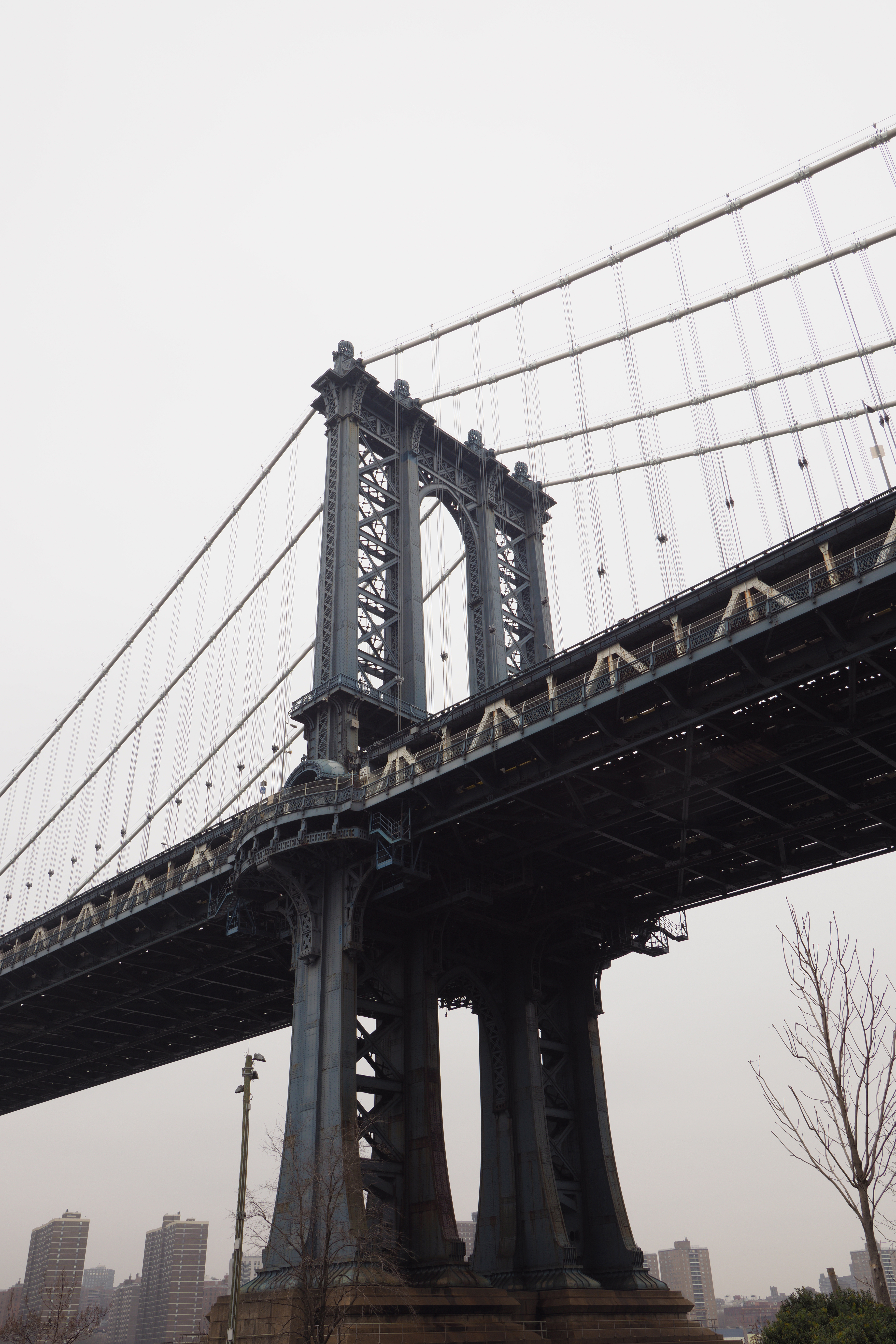
For this part of the test, I shot the Manhattan Bridge, a complex, but relatively static subject. The good news for photographers who do not have a camera with pixel-shift capability is that it takes a bit of searching to find noticeable, qualitative differences between single-image and pixel-shift capture images—a testament to the accuracy of current interpolation algorithms.



Pixel-Shift Image Comparison Between Brands
To make the difference in image quality apparent on-screen, I pulled the same small area out of each image. Since each sensor produces images of a different size, the first comparison below shows each image in its “native” size out of camera. The second comparison shows the result of transforming each detail shot so that it matches the largest output image (Panasonic). The third comparison shows the result of transforming each detail shot to match the smallest output image (Olympus).


Motion
Movement poses a significant obstacle for pixel-shift technologies. Of the cameras tested, only the Pentax K-1 offers a “Motion-Correction” mode when working in the setting. This is an in-camera fix; raw files taken in this mode reveal Bayer distortions, while JPEG files relay a moving object only in the first frame in the sequence, eliminating it from the rest.


Motion had a noticeable effect on image quality for the other brands tested, significantly limiting their potential applications.

Artificial Light
I wanted to see if any of the cameras could create a pixel-shift image while using strobe lighting. When paired with a Pocketwizard Plus III Transceiver, all of the cameras were able to trigger a Profoto D1 Air 500 W/s Monolight for single image capture, but only the a7R III was able to trigger the light in pixel-shift mode. Despite triggering the light, the syncing was off, resulting in only partially lit, unusable images. However, when I attached Sony’s FA-WRC1M Wireless Radio Commander, paired with the FA-WRR1 Wireless Radio Receiver, triggering was seamless and I was able to get four equally lit images. Proprietary shenanigans aside, this is possible because the a7R III pauses between each image capture, whereas the other cameras tested are nearly immediate.
| Camera | Pixel Shift Image Out-of-Camera? | Compatible with Radio-Triggered Lights? | Access to Individual Files? | Motion Correction? |
| Pentax K-1 DSLR | Yes | No | No | Yes |
| Sony a7R III | No | Yes | Yes | No |
| Olympus OM-D E-M1 Mark II | Yes | No | No | No |
| Panasonic Lumix DC-G9 | Yes | No | No | No |
Final Thoughts
The most telling revelation from this experience was less the differences in image quality between brands and more the impressive job that each camera did while operating in single-image capture. While the images made using pixel-shift capture were of a greater quality, the limitations of the technology keep its applications rather narrow.
One area where improvements could be made across brands is in user control. While the requirement of downloading extra software to create pixel-shift images with Sony is a nuisance, Imaging Edge does allow you to get a little more hands-on by adjusting peripheral edge noise settings when creating your image. Expanding user-input (e.g. managing areas of motion, time between exposures) would be a huge help for photographers looking to get the most out of the technology.
What do you think of pixel-shift image capture? Have you used it? Do you love it? Do you hate it? Let us know in the Comments section, below.


