Search results for: video buying guide how choose microphone
About 26 filtered results
by Steven Esposito · Posted
If you’re starting a video podcast or looking to get into live streaming, you’ve come to the right place. I have experience with both, so I speak from personal experience when I say you’ll need a capable computer to do either. What kind of computer exactly? Thankfully, the answer is simple.
For the time being, I can’t suggest building your own PC just for this. The prices of memory (or RAM) have skyrocketed due to the demands of AI infrastructure. In many cases, the price of memory has even surpassed some pre-built systems I’ve seen. The good

by Freddy Gerngross · Posted
Choosing a Digital Audio Workstation, or DAW, is a major decision. For beginners, it will define their learning curve, workflow, and operating knowledge—for professionals, compatibility, functionality, and familiarity is key. In this guide, we will give some detailed overviews of the most popular DAWs in the audio industry, what their strengths and weaknesses are, and some of their unique features.
If you’re in a rush, here’s a quick rundown of the best DAWs for a variety of common purposes:
If you’re a songwriter/producer: Ableton, Logic,

by Trevor Collins · Posted
The popularity of podcasting has skyrocketed in recent years. While many facets are involved in making a successful podcast, undoubtedly one of the most important is the microphone. However, with so many factors to consider, from budgets and solo or multi-person setups to technical specs like capsule types, pickup patterns, and onboard controls, the options can sometimes seem overwhelming.
Fear not! B&H has you covered in your endeavor to weed through the options and produce engaging content. In this article, we’ll discuss some of the key

by Steven Esposito · Posted
Breaking into the world of video podcasting can be a fun yet daunting experience. Aside from needing the motivation to try something new, you need the proper equipment. Some will say buying the best equipment available is the way to go, but for many, that approach is unrealistic. If you’re just dipping your toes in, you don’t need any extra bells and whistles. So, we are going to break down the essential equipment you need to get started while also sharing some nice-to-have accessories that will enhance your video podcasting.
The Essentials

by Rebecca Melville · Posted
Content creation has exploded into a multi-billion-dollar industry with no signs of slowing down. While it’s true that anyone with a smartphone can become a content creator, the shift toward polished productions might have you browsing some more professional gadgets. Luckily, affordable, easy-to-use gear is widely available for every kind of content creator. Let’s explore some options you might consider snagging for your new hobby or upcoming project.
Best vlogging cameras for content creators

by Steven Esposito · Posted
So, you are looking to livestream but don’t know exactly where to get started when it comes to equipment and gear. Luckily for you, we have you covered! No matter what your budget is, you can easily get started! So, come take a look at a couple of different kits to help take your creativity to new levels! Assuming you already have a solid computer for streaming and overall creativity,

by Rich Risitano · Posted
Starting a video podcast may seem like jumping from checkers to chess, regardless of whether you already have an established audio-only podcast or you’re starting from scratch. But fear not, in this guide, we’re going to show you how to get started with video podcasting by helping you find the right gear to make your video podcast stand out.
The Basics: Computer, Camera, Mic, and Headphones
OK, let’s assume you’re flying solo in your podcast and that

by Trevor Collins · Posted
These days it often seems like everyone has a podcast. With so much competition and so many options for podcasting-centric equipment, it can be daunting to dive in headfirst without knowing the ropes. That’s where B&H comes in, with another all-encompassing guide to set you up for success and help you get your content off the ground as painlessly as possible. Let’s begin.
Why Make a Podcast?
The first topic couldn’t be simpler: Why even start a podcast? The answer is simple−because it’s the best way to get your content to the masses.

by John-Paul Pale… · Posted
Powerfully immersive and perfectly sized, the HP ZBook Studio G11 Mobile Workstation houses high-end CPU and GPU configurations with AI-enhanced performance in a super-thin and light form factor. It combines performance and mobility for a wide variety of creative professionals, including videographers, imagers, and designers. With a top configuration that includes an Intel Core Ultra 9 185H CPU, 64GB DDR5

by Gabby Bloch · Posted
As a podcaster, life becomes a lot easier when you have the right equipment. If you’re currently stuck with a simple audio interface or portable recorder, you’ll probably benefit from upgrading your setup to a multitasking mixer that can serve every function you may need as your podcast grows and your creative ideas expand. Since content creation has becomes such a big thing, it’s challenging to sort through all of the available products to find which

by Mos Khan · Posted
Streaming has never been more approachable than it is right now. Regardless of the type of content you want to stream, the right equipment is readily available and in most cases relatively easy to set up. In this beginner’s guide, we’re going to take a look at the different tools and equipment you’re going to need in order to get started on your journey to become a streamer.
Getting Started
Most conventional streaming setups include a web camera, microphone, streaming software, and a capable PC with a stable internet connection. Depending on

by John-Paul Pale… · Posted
The HP 16" ZBook Fury 16 G11 Mobile Workstation is so powerful, you'll forget it's a laptop. If you're looking to replace your desktop computer, this is the system you want. It is focused solely on delivering the performance needed for creative and technical professionals―and that includes media creators, developers, and data scientists. With a top configuration that includes a 14th Gen Intel® Core™ i9 CPU, 128GB of DDR5

by Mary Latvis · Posted
Welcome to Filmmaking 101, where we offer some tips on how to go about creating your movie masterpiece. Read on to discover suggestions for your pre-production, production, and post-production phases.
Pre-Production
Scriptwriting
You have your idea for an arthouse masterpiece or an action-based blockbuster; now how do you translate that into a script―the backbone of your production? You can use MS Word, Google Docs, or another document program. But using dedicated screenwriting software provides the standard formatting, outline tools,

by Eric Calvi · Posted
If you are a musician, singer-songwriter, engineer/producer, podcaster, streamer, gamer, or content creator who is serious about audio recording or production, then you need an audio interface that will help you get professional-sounding results and make your workflow more efficient. Audio interfaces are essential pieces of equipment that come in a variety of shapes and sizes, but they all have the same basic functions: They convert analog signals from microphones, instruments, and other audio gear into digital audio that the recording
by Todd Vorenkamp · Posted
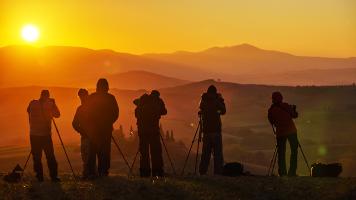
The tripod: a three-legged camera support. Why is the tripod market so flooded with options when they all look pretty much the same and are designed to do the same thing? Isn’t one tripod as good as any other? Why are some so expensive? Why are others comparatively inexpensive? Do some hold cameras more steadily than others? And, why in the world is that one pink?
In this article, we will be emphasizing the use of a tripod for photography.