Search results for: video tips solutions lighting basics video
About 61 filtered results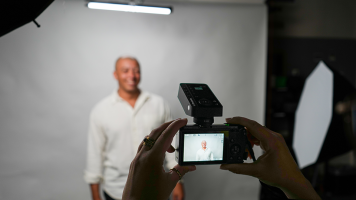
by Luke Rollins · Posted
At first glance, studio photography and the compact camera may seem strange bedfellows. The type of work associated with the studio—still life, product photography, portraiture, macro photography—usually wants cameras with larger sensors and interchangeable lenses, especially in professional applications. Compact, point-and-shoot cameras, for their part, have their natural home in everyday, travel, nightlife, and street applications, where their discretion and size become virtues.
It might seem almost cruel to introduce the compact to the

by Jennifer Hahn · Posted
Point-and-shoot cameras are a great value-add to your photography kit, social media sharing, or as a vacation companion for quick stills and capturing memories on the fly. And these days, the value is even greater with point-and-shoot video recording. The point-and-shoot design makes things simple to change to video mode and press record. Though after you’ve captured your video, it can become cumbersome to edit and share that footage.
Some cameras allow you to edit/trim your video footage (also called “Movies” in some cameras) in camera, which

by Mathew Malwitz · Posted
Have you ever taken a photo that looked so good on the back of your camera, only to get home and see that it’s just not sharp? We’ve all been there, and even the experts miss more shots than they keep. That said, there are many tricks and techniques we can learn to improve the odds. In today’s guide, we’re looking at five techniques to aid us in confidently capturing tack-sharp photographs.
Sharpness is critical in most genres of photography, especially nature and wildlife. Sure, we can intentionally blur elements to showcase motion. We

by Jennifer Hahn · Posted
Many moons ago, when the economy was unstable and layoffs were rampant, this author decided to switch careers to pursue filmmaking. With a new perspective and energy, but without any guidance, knowledge, or tools, going back to school for digital filmmaking was a no-brainer. The aim was to tell real stories in documentary form, and it became a challenging but ultimately rewarding adventure.
Tips for Starting Out
If you’re just starting out at the dawn of your student career, or find yourself older and wiser looking for a change, and you want

by Steven Esposito · Posted
Building a PC can be difficult for those who are new to the hobby. Seasoned builders like me picked up on a lot of tips and tricks when it comes to assembling PCs, so today I am going to share a full step-by-step guide on how to assemble your PC with a few extra pieces of information to help you along the way. We are going to answer questions and do our best to ensure that your installation process goes smoothly.
I am going to assume that you, reader, are a fellow gaming enthusiast. I am also going to speak about the most common types of PCs

by Mathew Malwitz · Posted
Smartphones have forever changed the world of photography, making the art form more accessible and connecting people from across the world through the instantaneous sharing of images. For all their benefits, there are plenty of criticisms to be had, especially on the creative front. Smartphone cameras are, for some, everything one could want from a camera. For others, they lack the control and creative freedom that makes photography so interesting.
Who can blame one for having hard feelings against smartphones. After all, they nearly wiped

by Steven Gladstone · Posted
Learning to speak and use the language of lighting can go a long way to creating images that move the audience, immersing them even further. It will also make working on set much more efficient, helping you create more powerful images in less time with your crew.
This article will cover basic lighting types, so you can become familiar with what is available.

by Zack Young · Posted
Virtual production (VP) is a professional video technique that combines live-action footage with computer-generated imagery (CGI) in real time. Virtual production typically happens on “volume” stages where seamless interlocked LED panels display rendered photo-real backdrops that change and adapt as the camera moves. This creates impressive in-camera virtual effects (ICVFX) that require little to no post-production work. Let’s jump into the exciting capabilities of

by Zack Young · Posted
With all the time and effort it takes to set up a virtual production volume, it’s vitally important to schedule regular maintenance on your LED panels to ensure they stay clean, calibrated, and ready to be used at a moment’s notice. Knowing how best to repair, store, and transport cabinets is also an important part of lengthening the lifespan of these hefty investments. The number one resource is always going to be the documentation that came with your OSVP panels, whether that be a manual, an online database, manufacturer best practices, or

by Zack Young · Posted
As audiences consume more and more video, it’s increasingly challenging to create bold, striking visuals that stand out from the crowd and truly engage viewers in a story. Lighting remains—arguably—the most underrated tool for that mission. Even the most budget-friendly camera and lens on the market can capture beautiful images when paired with thoughtful lighting choices. While accurate LED panels used to be large, heavy, and expensive, that is no longer always the case, and Genaray’s new PX-MOD-3 modular RGB LED panel is proof of this,

by Zack Young · Posted
Whether you're outfitting a tiny conference room or a massive ballroom, PTZ cameras can help you pan, tilt, and zoom your way to the best angles and most effective ways to communicate your message during a video conference. With PTZ camera setups varying wildly in size, price, and configuration, we're breaking down possible workflows for different kinds of scenarios.
1. Home Office
If you're just outfitting a setup for yourself, a single

by Freddy Gerngross · Posted
One of the most common aspects of podcasting that gets in the way of a newcomer’s success is setting and adjusting proper levels. Too quiet and your podcast won’t grab the listeners’ attention, too loud and it will be fatiguing to listen to—and if it’s too quiet and too loud, the listener will be adjusting the volume for the entire podcast!
Proper leveling and loudness are key for audience retention and the success of any podcast. In this short guide, we will go over the basics of leveling out the audio for your podcast.
Getting the Right

by Freddy Gerngross · Posted
Choosing a Digital Audio Workstation, or DAW, is a major decision. For beginners, it will define their learning curve, workflow, and operating knowledge—for professionals, compatibility, functionality, and familiarity is key. In this guide, we will give some detailed overviews of the most popular DAWs in the audio industry, what their strengths and weaknesses are, and some of their unique features.
If you’re in a rush, here’s a quick rundown of the best DAWs for a variety of common purposes:
If you’re a songwriter/producer: Ableton, Logic,

by Zack Young · Posted
Congratulations on upgrading your recording space. In this guide, we’re going to cover the unboxing of your new SmallRig Vlog kit, essential lighting and microphone functions, and setting up your mini studio for the best results.
Unboxing Your Kit
The Monitor and Remote: SmallRig Vlog Kit
SmallRig Vlog Kit with Wireless Smartphone Video Monitor Advanced Kit
The SmallRig Vlog Kit is an easy way to use the high quality

by Zack Young · Posted
Congratulations on upgrading your recording space. In this guide, we’re going to cover the unboxing of your new Sony ZV-E10 II camera kit, essential camera functions, and setting up your mini studio for the best results.
Unboxing Your Kit
Camera: Sony ZV-E10 II
The Sony ZV-E10 II Mirrorless Camera is a compact video centric camera designed for streaming with ease of use in mind. It features a responsive, flip-out touchscreen and 4K recording in a user-friendly package.